Remote desktop for software engineers

Your dev workstation, from anywhere.

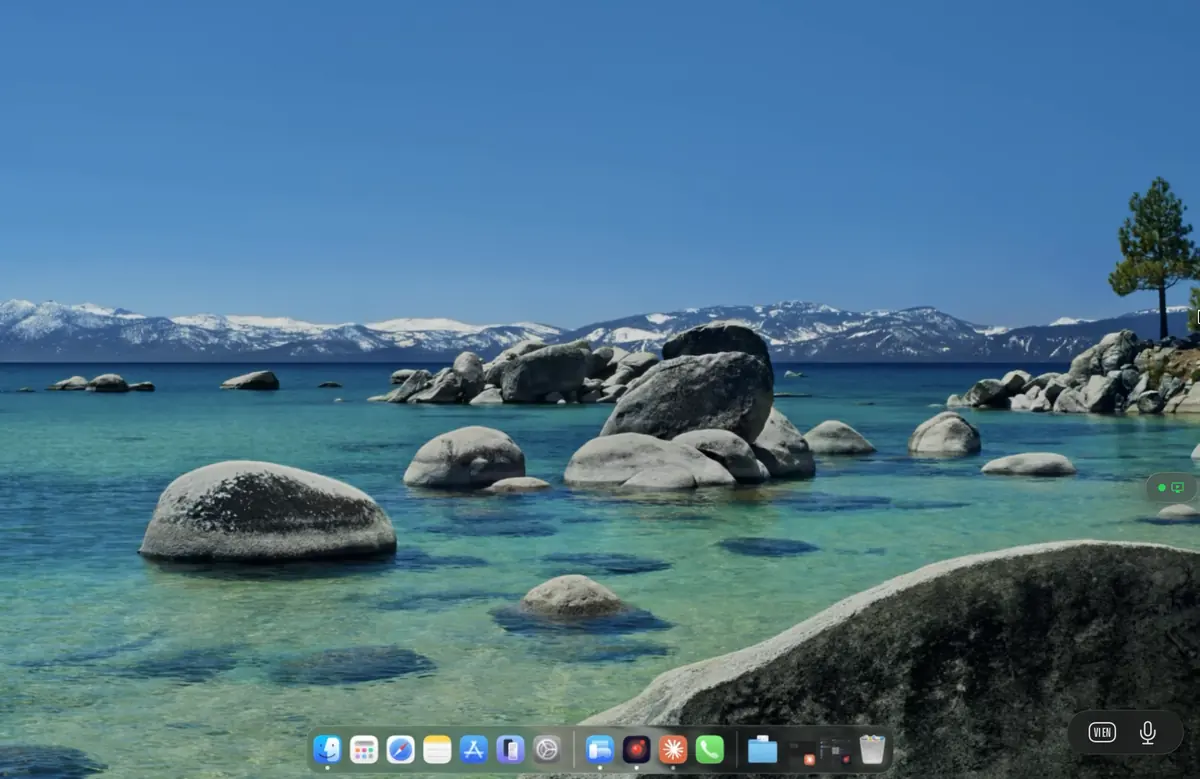
Reach the real Xcode, Android Studio, VS Code, JetBrains, Docker Desktop, and tmux session on your workstation from a MacBook Air, iPad Pro, or phone. Glass-to-glass latency around 8 ms on a wired LAN. No VPN, no web wrapper, no vendor lock-in.

A day on the workstation

The same three windows you opened this morning.

Most developer days look the same on the inside: an SSH session for the long-lived host, a dev server with hot reload, and a container stack feeding the API. Remio streams them all to your laptop or tablet exactly as they appear on the workstation — no second editor, no browser-tab IDE, no port forwards to maintain.

ssh:workstation zsh · 100×24

~ $ ssh ngo@workstation.local

Last login: Tue May 19 09:14:02 from 10.0.1.7

workstation ~ $ cd projects/remio && git status

On branch main

Your branch is up to date with 'origin/main'.

nothing to commit, working tree clean

workstation ~/remio $ cargo build --release

Compiling remio-core v0.14.2

Compiling remio-net v0.14.2

Finished `release` profile [optimized] in 41.83s

workstation ~/remio $

next-app pnpm · vite

app $ pnpm dev

> next-app@2.3.0 dev /home/ngo/projects/next-app

> next dev --turbo

Next.js 15.1.0 (turbo)

- Local: http://localhost:3000

- Network: http://10.0.1.4:3000

ready in 1.4s

compiling /app/dashboard ...

compiled /app/dashboard in 312ms (1287 modules)

hot reload: 4 files updated, client refreshed

docker compose v2

stack $ docker compose up

[+] Running 4/4

ok Network stack_default Created

ok Container stack-postgres-1 Started

ok Container stack-redis-1 Started

ok Container stack-api-1 Started

api-1 | listening on 0.0.0.0:8080

api-1 | connected to postgres at db:5432

redis-1 | WARNING: overcommit_memory is set to 0

api-1 | health check: ok, 12 routes mounted

SSH, hot reload, and the container stack all keep running on the host. Remio mirrors their windows to whatever screen you have with you.

Why typing feels local

Built for sub-frame keystrokes, not for video calls.

A remote IDE that adds 60 ms to every keystroke is an unusable IDE. Remio is tuned for the opposite: keystrokes ride on a low-latency input channel, frames stream through a hardware H.265 encoder with screen-content tuning, and the renderer skips stale frames so the cursor never lags behind the buffer.

8 ms
Glass-to-glass, LAN, M2 Pro host
60 fps
Terminal scrolling, 120 Hz on M-series MacBook
The input path

From keystroke to host process

Every key, scroll, and pointer event travels on an input channel separate from the video stream. The channel uses unordered, low-overhead delivery for input, which removes head-of-line blocking and keeps the median latency below one display frame on a clean network. Modifier state, autorepeat, and IME composition are all preserved end to end.

The frame path

Hardware encode, hardware decode

Frames are captured on the GPU and encoded by the hardware video encoder on Apple, NVIDIA, AMD, Intel, or Android silicon. The decoder on the client runs on the same hardware path. The CPU stays free for your build, your test suite, and your IDE indexer. Lost frames are dropped and a new keyframe is requested, with no replay of stale frames and no buffering.

Tested with the tools you already use

The stack runs unchanged on the host.

Remio does not replace your editor, your build tool, or your terminal. It streams the desktop they already run on. Everything below is verified to work in day-to-day use, both over a wired LAN and over a residential link with the host behind a typical home router.

VS Code with Remote-SSH

Both modes coexist. Use VS Code Remote-SSH for text editing from a thin client, then switch to the streamed VS Code on the host when you need the integrated debugger, the Live Share session, or extensions that need a real display.

Xcode and JetBrains Gateway

SwiftUI previews, Instruments, the iOS Simulator, IntelliJ run configurations, Rider, GoLand, and PyCharm all render natively on the host. The streamed window is the real application, with every shortcut, every tool window, every breakpoint.

tmux, SSH, and the shell

tmux sessions persist across reconnects exactly as they do over SSH. Open a terminal in the streamed desktop, attach to a named session, and pick up the running Cargo build, pnpm test watcher, or kubectl logs tail without a hiccup.

Docker Desktop and kubectl

Docker Desktop, Compose dashboards, and Kubernetes UIs run on the host as normal. Streamed logs scroll at 60 fps. CLI tools — docker, kubectl, helm — work over SSH or in the streamed terminal. The cluster stays behind your firewall.

Questions developers ask first

Direct answers, no marketing detour.

Can I forward SSH ports?

Yes. SSH runs unchanged on the host and is unaware of Remio. Existing tunnels, port forwards, and ProxyJump configurations all keep working. Remio simply streams the desktop in parallel so you can reach the GUI tools that SSH does not cover.

Does Remio work with Docker Desktop?

Yes. Docker Desktop, Compose, and the Kubernetes UI inside Docker Desktop all render normally. The streamed terminal also supports docker and docker compose commands. Containers themselves are not aware of Remio in any way.

Will VS Code Remote-SSH still work?

VS Code Remote-SSH continues to work because Remio does not touch SSH. Many developers use both: Remote-SSH for plain editing on the road, and the streamed VS Code on the host when they need the GUI debugger or the Live Share view.

Can I attach to tmux sessions?

Yes. tmux is host-side and survives Remio reconnects the same way it survives SSH reconnects. Detach, close your laptop, reconnect from a phone, and tmux attach drops you back into the running Cargo build or pnpm test watcher.

What about Rust, Go, Bun, and other CLI toolchains?

Cargo, go, bun, npm, pnpm, Vite, and similar tools run on the host. The streamed terminal renders their output at 60 fps with full ANSI colour. Long compiles continue if the client disconnects, and you can reattach to view the trailing output.

Free, all features, no account, no card

Bring your workstation with you.

Install Remio Host on the workstation that has the GPU, the build cache, and the tmux session. Install the client on the device you carry. Pair once with a 4-digit code — the same Xcode, the same Cargo, the same Docker Desktop, now reachable from anywhere.

macOS, iOS, iPadOS, Windows, and Android. Free forever.