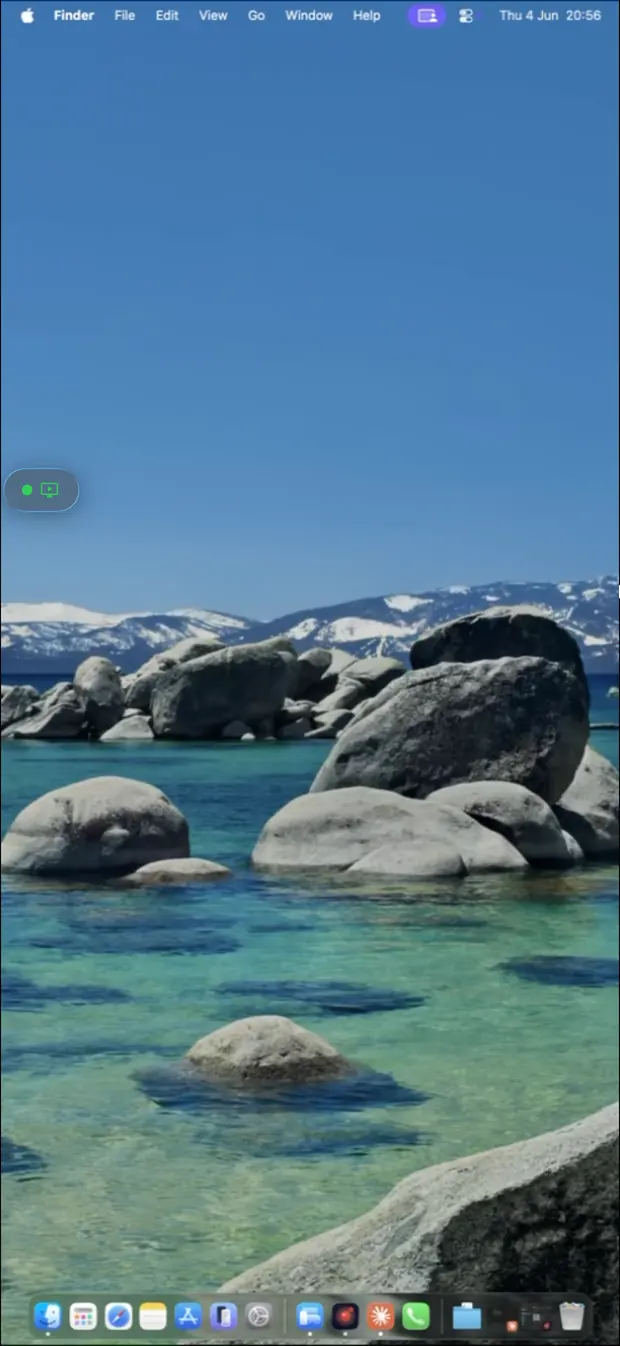
Three steps, thirty seconds

Simpler than you think.

No accounts. No configuration. No cloud servers between you and your Mac. Install the two apps, pair with a one-time PIN, and connect — direct device-to-device when the network allows, encrypted relay when it does not. Setup takes under a minute.

The connection flow

From phone to Mac, directly.

A Remio session has only three moving parts. The connection server brokers the handshake, then steps out of the way — your screen, your inputs, and your audio travel directly between your devices.

Client device
iPhone · iPad · Mac · Android
PIN exchange
via connection server
Connection setup only
Cloudflare · no stream
Probe network
direct first · relay fallback
Host computer
macOS · Windows

Once paired, the stream is direct device-to-device. The connection server only carries the PIN-exchange handshake and the network probe — it never sees a single pixel or keystroke.

Connection setup only · handshake packets, no stream
Direct device-to-device · your encrypted screen and input
How to set up Remio

Connect in three steps.

No setup wizard. No firewall rules. No phone calls to IT. Open the two apps, type a PIN, and stream.

01
Step 01 — Install

Install the two apps

Download Remio Host on the computer you want to control. Install Remio Client on the phone, tablet, or laptop you want to reach it from. Both apps are native and free — no trial, no paywall, no upsell.

Remio Host — native on macOS and Windows
Remio Client — iOS, iPadOS, macOS, Windows, and Android
Mac client install is about 45 MB — both apps launch in under a second
02
Step 02 — Pair

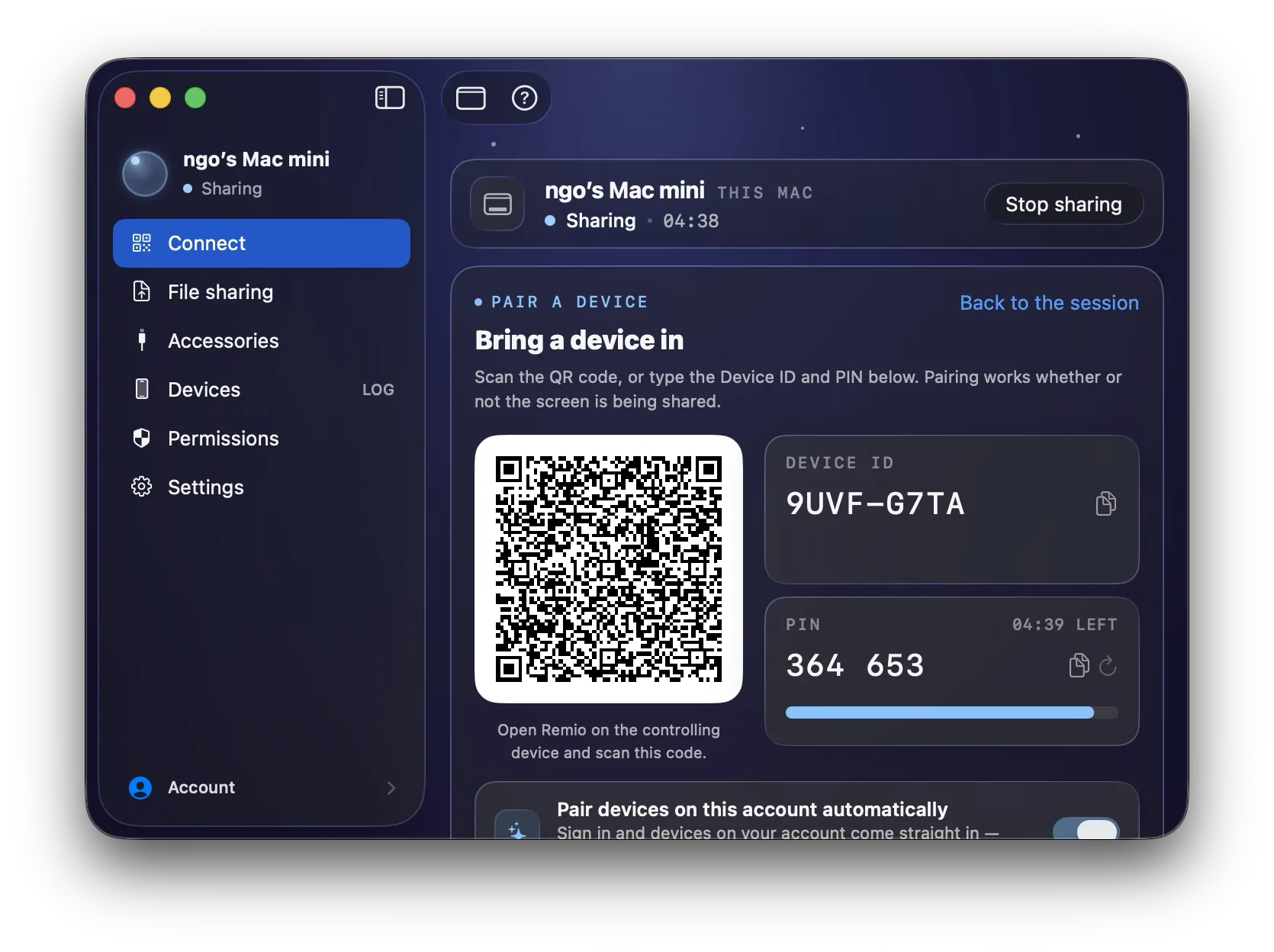
Pair with a one-time PIN

Open Remio Host — a 6-digit PIN appears on screen. Type it once into Remio Client. The two devices exchange one-time encryption keys with forward secrecy and remember each other from then on. That is the entire account flow.

PIN is one-time and rotates each session — useless if intercepted later
Zero account — no email, no password, no profile, no recovery questions
Paired devices are remembered locally — open the client, tap, you are back
03
Step 03 — Stream

Tap connect, you are in

Remio picks the fastest network path automatically. Direct device-to-device when possible (under 5 ms on the same network), encrypted Cloudflare relay as fallback when the direct path is blocked. Hardware-accelerated video codecs do the heavy lifting on both ends — H.265 or H.264 depending on your device.

Under 5 ms on the same network — your screen, your inputs, your speed
End-to-end encrypted — Remio cannot decrypt the stream
Works at home or across the internet — no firewall configuration needed
What makes it different

Not another remote desktop tool.

Remio is not built on the same blueprint as the screen-sharing tools you have used before. Three things are fundamentally different.

Direct device-to-device

Your pixels travel directly between your devices once paired. No cloud relay touching your stream, no third party in the middle, no audit log of your sessions.

Zero account

No sign-up form, no email verification, no forgotten-password flow. A 6-digit PIN pairs your devices in seconds. Remio has nothing on file because it asks for nothing.

100% native

Made for Apple, made for Android, made for Windows — every app written in the platform's own language. No Electron, no WebView, no cross-platform shortcuts. The frame budget belongs to your pixels.

Quick questions

Things people ask first.

For the lowest latency, yes — the same Wi-Fi network is ideal and delivers sub-5 ms glass-to-glass response. But Remio also works across the internet. If a direct path is blocked, an encrypted Cloudflare relay carries the stream until the direct path opens up.
Yes, free during launch — every feature, every platform. That includes 4K streaming, end-to-end encryption, multi-device pairing, and all client apps. There is no paid tier today, and Remio does not sell user data because there is no user data on file to sell.
Every connection is end-to-end encrypted. The 6-digit PIN pairs only your two devices — without it, no one else can connect. Remio cannot decrypt your stream either: the keys never leave your devices and the relay only sees opaque encrypted packets.
Remio Host runs natively on macOS and Windows. Remio Client runs on iOS, iPadOS, macOS, Windows, and Android. A Linux host is on the roadmap. See the download page for current versions and direct download links.
Really. No email, no password, no profile, no recovery question. The 6-digit PIN pairs your devices once; they remember each other after that. If Remio were breached tomorrow there would be nothing to leak — Remio does not have your data because it was never asked for.
Free during launch · no account · no card

Try Remio in under a minute.

Install the host on the computer you want to reach. Install the client on the device you want to reach it from. Pair with a 6-digit PIN — that is the whole setup.

macOS, iOS, iPadOS, Windows, and Android. Average measured setup is 27 seconds.