Real workflows

Many workflows. One app.

Gamers, colourists, coders, and people who just want their desktop on the couch — all run the same install. There's no per-job edition. Pick the one that sounds like you.

What people actually do with Remio

Four workflows cover most of what Remio gets used for. Same app, same pairing PIN, no upgrade required.

Play

Competitive PC gaming

Stream Apex Legends, Elden Ring, and the rest of your PC library to iPad or Mac at about 8 ms of LAN input processing latency. DualSense and Xbox controllers pair natively — and unlike Moonlight, you don't need an Nvidia GPU.

DualSenseXbox controller4K · 60FPSAny GPU
Create

Colour-critical creative work

Edit DaVinci Resolve timelines and Photoshop comps from iPad with Apple Pencil. Hardware H.265 end to end today — and true 4:4:4 color is now live — NVIDIA-powered PCs streaming to Mac, more pairs on the way.

DaVinci ResolvePhotoshopApple Pencil4:4:4 colour (PC → Mac)
Access

Zero-trust remote access

Peer-to-peer connections, end-to-end encryption, and no central account database to breach. Pair a Mac, Windows 11, or Linux machine with a six-digit code — no per-seat licence, no user table sitting on a server.

End-to-end encryptedNo accountWindows 11macOS
Offload

Thin laptop, heavy workstation

Connect from a MacBook Air to a tower running Maya, Blender, or Rhino with full GPU access. Nothing to install on the shared machine but the host app — the render horsepower stays where it belongs.

MayaBlenderRhinoFull GPU
Same feel

It looks like your machine because it is your machine.

Whichever desk you sit at, Remio streams the real desktop — full resolution, real colour, real cursor. Your iPad becomes a window into the tower in the other room, not a watered-down mirror of it.

One pairing PIN. Every workflow above.

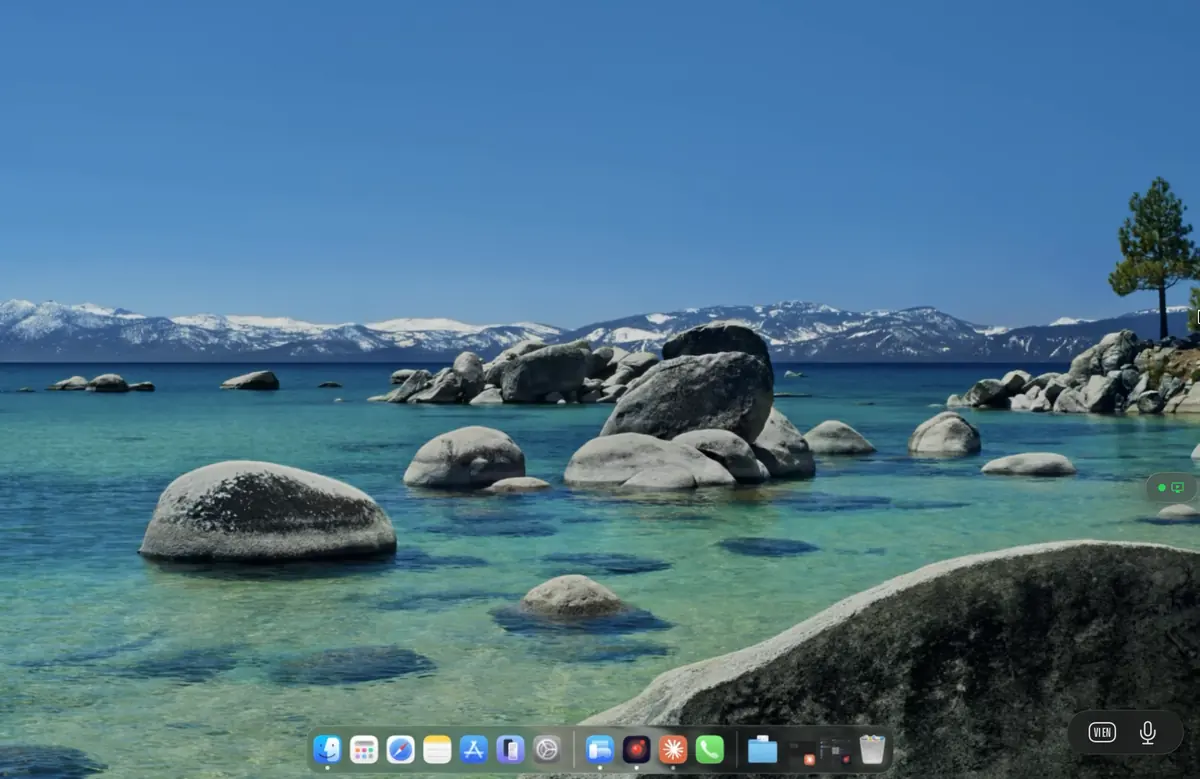
A Mac desktop streamed live through Remio

Three reasons all four chose the same app

Different desks, same requirements: it has to be fast, it has to be private, and it has to feel native.

Genuinely fast

About 8 ms of input processing latency on a local network with hardware encode and decode. Fast enough to game on, precise enough to draw on.

No account, no leak

A six-digit code pairs your devices directly. There's no central account database — nothing for anyone to breach, because it doesn't exist.

Native on every platform

SwiftUI, Jetpack Compose, and C++/WinRT — real native apps on each OS. No Electron, no browser wrapper, no lag tax.

Built for specific jobs, not just generic remote access

Each of these has its own guide, tuned to the tools and the network setup that job needs.

And every other desk

The same tool, wherever you work

Remio is a free indie app — not an enterprise platform. Here's how these audiences actually use it, honestly, with no compliance badges we can't back up.

Remote & hybrid work

Leave your desktop running at home and reach it from a laptop or tablet anywhere. Full apps, real files, no VPN gymnastics — just a six-digit pair and you're in.

Freelancers

Keep the heavy tools on one machine and work from whatever device is nearby. No per-seat cost, no commercial-use nagging — free for professional use.

Helping family & friends

Pair once and, with the other person's consent, hop onto their Mac or PC to fix something. It's built for personal help, not managed fleets — there's no admin console or ticketing.

Students & learning

Reach the lab machine or your own desktop with the licensed software from an iPad in the library. Remio is a personal tool — it isn't a school-deployed platform with central management.

Finance & trading desks

Watch charts and manage a workstation running your trading tools from a second screen or on the move. Connections are end-to-end encrypted — though Remio carries no SOC 2 or SAML claims.

Accounting & bookkeeping

Run the desktop accounting suite on one machine and reach it from anywhere at close. It's a personal-scale tool — great for a solo practice, not a managed multi-tenant deployment.

General office & clinical desktops

Reach a workstation and the software installed on it from another room. Remio makes no HIPAA or BAA claims — treat it as a personal remote-desktop tool, not a compliance product.

Developers & ops

Drive a build box, a home lab, or a GPU server from a lightweight client. For the full engineering angle, see Remio for developers.

Questions

Frequently asked questions

Which workflow fits Remio best?
Remio is built for any workflow where a remote desktop must feel local. The four most common are: streaming PC games to a tablet at about 8 ms of LAN input processing latency, editing colour-critical video and design work on iPad with Apple Pencil precision, accessing a powerful workstation from a thin laptop, and running zero-trust remote access for a small team without per-seat licensing. All four share the same install — there is no per-vertical edition.
Does Remio work for competitive PC gaming?
Yes. Remio uses hardware-accelerated H.265 encoding on the host and VideoToolbox or D3D11 hardware decoding on the client, with a target of about 8 ms of processing latency on LAN — the rest is your display's own 60 Hz refresh cadence. DualSense and Xbox controllers connect natively. Unlike Moonlight it does not require an Nvidia GPU; unlike Parsec it is not visibly compressed at 4K.
Can creative professionals trust the colour accuracy?
Remio streams hardware H.265 end to end today; true 4:4:4 chroma — full colour resolution with no chroma subsampling — is now live — NVIDIA-powered PCs streaming to Mac, more pairs on the way. Apple Pencil tracks 1:1 with the cursor on the host — point, tap, and scroll with precision. Most remote tools downsample to 4:2:0 chroma, which softens edges and shifts hues — visible immediately to anyone doing colour-critical work.
Is Remio suitable for enterprise remote access?
Remio is peer-to-peer with end-to-end encryption and no central account database. There is no per-seat licence, no subscription wall, and no user table on a Remio server for an attacker to exfiltrate. The signaling server only brokers the initial handshake — it never sees pixels, keystrokes, or session content. For small to medium teams this replaces TeamViewer and AnyDesk without the licensing cost or the breach exposure.
Does Remio require an account or subscription?
No. Remio uses a six-digit pairing code displayed on the host. The client enters the code once; the two devices then exchange ephemeral encryption keys over an authenticated channel and connect peer-to-peer. There is no email, no password, no cloud account. Remio is free with no card required.
Remio app icon

Pick your workflow. Start the same way.

Every desk above runs one install and one six-digit pair — free, no account, no card.

Free foreverNo accountPaired in 30 seconds