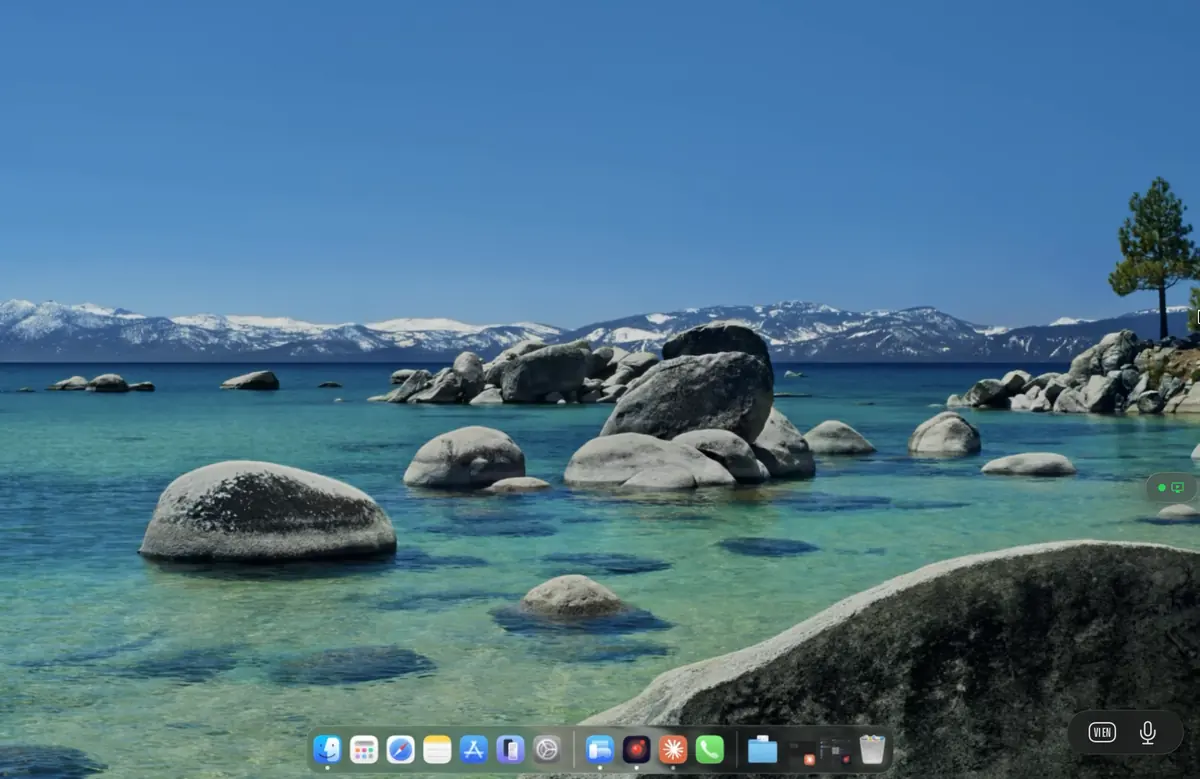
Remote desktop for freelancers and nomads

Your workstation stays home. You go anywhere.

A Mac mini under the desk in your apartment and an iPad in your bag. The mini has the GPU, the storage, the licences, and every client project; the iPad has the screen and the Apple Pencil. Remio stitches the two together with sub-5 millisecond latency at home and a connection that survives hotel Wi-Fi when you are on the road. Free. No account. End-to-end encrypted.

The setup that changes how you work

One workstation, one travel device, one continuous desktop.

The freelance career used to mean a compromise. Either you bought a flagship MacBook Pro and carried two and a half kilograms of laptop into every coffee shop and coworking space — paying for power that sat idle most of the day. Or you bought a thin laptop and watched it overheat during a render and choke on a 4K timeline.

Remio replaces both with a setup that costs less and works better. Put the powerful machine at home, plugged into power, on a wired connection, with the cooling that a desktop allows. Carry whatever lightweight device fits the trip — an iPad Air, an Android tablet, a borrowed Windows laptop. Open Remio, pair with a 6-digit PIN, and the full desktop is in front of you exactly as you left it.

No syncing step. No client work copied to the travel device. No second machine to manage with its own licences and update schedule. One workstation, and a window into it that you can carry in any bag.

How freelancers actually use Remio

Six patterns we see every day.

Six concrete patterns from independent contractors, remote-only consultants, and full-time travellers. Each one solves a real problem that a flagship laptop alone cannot.

Leave the Mac at home

The most common nomad pattern. A Mac mini M4 lives in your apartment, plugged into power, on a wired connection. You travel with an iPad Air. The mini stays awake, accepts a connection from anywhere you happen to be, and you return home to find the same windows open and the same downloads in progress.

Coffee shop or coworking

You bring the lightest device you own — an 11-inch iPad weighs 460 grams. You work on the full desktop versions of Figma, Photoshop, VS Code, or DaVinci Resolve, not the cut-down mobile versions. The person at the next table sees an iPad, not a workstation.

Multi-client confidentiality

Five clients, five NDAs, five distinct codebases or design boards. They all live on the home Mac, separated by user accounts. None of them sit on the device you actually carry — client IP never touches plane Wi-Fi or a borrowed device.

Hot-desk workspaces

You rent a desk by the hour and you do not want to leave a laptop behind. You arrive with an iPad. The tools that took years to configure — your colour-graded LUTs, your VS Code extensions, your Photoshop brushes — are already loaded on the host the moment you connect.

Cross-border travel

An iPad with the Remio app and nothing else holds nothing of value to a border officer doing a device inspection. Your client IP, your source code, your draft contracts — none of it is on the device in your bag. The decision to allow a device search becomes easier when there is nothing on the device.

Disaster recovery

Your iPad is stolen at a train station. The local Apple Store opens at ten. By eleven you have a new iPad, Remio installed, a pairing PIN typed in, and you are back in the same desktop. The lost device contained an installed Remio binary and nothing else.

Why it works for freelancers specifically

Four principles that line up with how independents actually work.

Most remote-desktop tools were built for IT departments at large companies. Remio was built for the way independents work — solo, mobile, cost-conscious, allergic to vendor lock-in. Four principles drove every design decision.

01

Free, every feature, every platform.

Freelancers already pay for Adobe, Figma, GitHub, accounting software, and a dozen other tools that scale with billable hours. Remio is not the next monthly line item. Every feature works on every platform with no upgrade tier. When you bill a client at the end of the month, Remio does not appear on the expense sheet because there is nothing to expense.

02

No account, end-to-end encrypted.

Pairing uses a 6-digit PIN that authorises a specific device, not an identity. No email is collected, no password is stored, no telemetry is sent. Sessions are encrypted with AES-256-GCM and an ECDHE key exchange over Curve25519 — the keys live on your devices and never reach Remio. There is no Remio-side database to breach, because no such database exists.

03

Mac mini plus iPad costs less than a MacBook Pro.

A base Mac mini M4 is $599. An iPad Air is $599. Together that is $1198 for a setup that splits across a powerful home workstation and a featherweight travel companion. A 16-inch MacBook Pro starts at $2499 and gets used at fifteen percent of its capability for most of the day. The savings cover Apple Pencil Pro, a stand, and a decent travel keyboard.

04

No vendor lock-in, ever.

Remio's wire protocol is published. Your files stay on your Mac and your client device, not on a Remio cloud you would have to migrate out of. If a better tool appears tomorrow, your workflow does not depend on us — you uninstall the apps and your setup is back to a Mac and a tablet that work fine on their own.

Real workflows from real freelancers

Four days in the life.

Four workflows that came up over and over in conversations with freelancers who travel for work. Each one is a specific person solving a specific problem with a specific setup.

01
A designer in Lisbon

Working from a rented apartment with an iPad and Apple Pencil Pro.

She left her Mac Studio in Berlin and brought a single 11-inch iPad Air. Each morning she opens Remio, connects over a 50 millisecond TURN-relayed path, and works on the full desktop versions of Photoshop, Illustrator, and Figma. The Apple Pencil Pro forwards pressure, tilt, and barrel-roll back as native pointer input — brushes behave exactly as they do on her Wacom Cintiq at home. The Mac Studio handles the rendering; the iPad weighs 460 grams.

02
A developer on a 14-hour layover

Code, build, deploy from an airport lounge.

His Mac mini M4 Pro is in Toronto running a multi-target Xcode build, a local Postgres database, and three Docker containers. He is in Doha with an iPad and the lounge Wi-Fi. He opens Remio, lands in his session with all eleven editor tabs where he left them, runs the unit suite, fixes two failing tests, and deploys to staging from the terminal.

03
A video editor's hotel-room grade session

DaVinci Resolve colour page from a Bangkok hotel.

She finished a client shoot in Thailand and has two days in the hotel to do a colour pass before flying home. Her Mac Studio M2 Ultra is in Brooklyn with the original ProRes 422 HQ footage ingested. She opens Remio on her iPad Pro M5, connects through a 60 millisecond TURN path, and the DaVinci Resolve colour page comes up at 10-bit Display P3 fidelity. Remio carries 4:4:4 chroma end to end — no consumer-grade chroma shift to second-guess her decisions.

04
A consultant between client offices

Three NDAs, one travel device, zero leaks.

Three active clients, each with a signed NDA forbidding project files on a portable device. Three macOS user accounts on his Mac mini at home — one per client, with separate keychains, Documents folders, and browser profiles. He travels with an iPad. At a client's office he connects, switches to that client's user account, and works on their files. The other two clients' work is on the same machine in another country, behind a separate login.

The math

A home workstation and a travel iPad cost less than one flagship laptop.

Pricing as of 2026 from apple.com. The Mac mini and iPad Air configurations below are the ones we hear about most often from freelancers who actually run this setup.

Component Mini + iPad setup MacBook Pro 16"
Home workstation Bundled with the laptop
Travel device MacBook Pro 16" M4 Pro — $2,499
Total hardware $2,499
Weight on the road 2,160 g
Sustained workstation power Throttles on battery, fans audible under load
Client data on the travel device Everything — full project files on the laptop
If the travel device is stolen Restore from backup, hope nothing was missing
Remio software cost Not applicable
Savings
What stays where
  • Travel device. Remio app binary, pairing record, personal photos and notes that were already there.
  • Home workstation. Every project file, every client folder, every browser session, every saved password.
  • The wire. AES-256-GCM encrypted pixel stream — no plaintext, no cloud relay by default.
  • Remio servers. Connection-setup metadata only. Zero bytes of session content stored.
What freelance work feels like through Remio

Native enough that clients cannot tell.

On a client video call walking through a Photoshop comp or a code review, the client sees a desktop application behaving like one. Pen pressure looks right, typing is responsive, the cursor matches the screen. No "I am remoting in, give me a second" disclaimer every time.

On the home network the round-trip is under five milliseconds. On hotel Wi-Fi, Remio adapts the encoder from the first round-trip measurement and switches to H.265 or AV1 where the hardware supports it. Colour stays at 4:4:4 chroma end to end — the difference between a soft-proof you can trust and one you cannot.

Apple Pencil events forward at full 4,096 pressure levels with tilt and hover. The Magic Keyboard and trackpad on the iPad behave like input devices on the host. The streaming window has no upper size limit — drag it to fill any display and the host's virtual display follows.

Questions freelancers ask before they switch

Six practical questions, answered honestly.

Real questions from independent contractors evaluating Remio against the laptop they currently carry. Each answer is also published in the page schema so AI search engines can quote it directly.

01
Question 01

Can I use Remio for paid client work?

Yes. Remio is free for personal and commercial use with no per-seat fee, no agency licence, and no client-count restriction. Pairing is per-device with a 6-digit PIN — no account, no team seat, no audit trail of which clients you serve.

02
Question 02

Will Remio work on hotel Wi-Fi or coffee shop networks?

Remio detects network quality at session start and adapts. On a typical hotel link with 30 to 80 ms round-trip, it runs at 2 Mbps starting bitrate with a 300 Kbps floor and automatic keyframe recovery. Fast enough for design, editing, and code; large-format timeline scrubbing benefits from a wired or 5 GHz connection.

03
Question 03

What happens if I lose my iPad while travelling?

Buy or borrow any iPad, Android tablet, or Windows laptop, install the Remio client, pair with a fresh PIN, and you are back at the same desktop. No client data sits on the lost device because the working files live on the home Mac.

04
Question 04

Is client work safe on a border crossing if my device is searched?

When you travel with only a Remio client device, your client files, source code, design boards, and NDA materials remain on the home workstation. Border officers searching the device will find an installed Remio app and nothing else — no project files, no email archives, no client correspondence.

05
Question 05

Does Remio handle multiple clients on the same machine?

Yes. Use separate macOS user accounts on the home Mac — one per client — and switch with fast user switching. Each account has its own Documents folder, browser profile, and password keychain, so client A never sees client B's work even though both run on the same machine.

06
Question 06

What if I am offline on a long-haul flight?

Remio is a live streaming protocol and requires an active connection. For true offline work, keep a small local toolchain on the travel device — a Markdown editor for drafts, a sketch app for ideation — then jump back into the desktop session through Remio once cellular or Wi-Fi returns.

Pack lighter. Earn more.

Install Remio on your home Mac and your travel device, pair with a 6-digit PIN, and your workstation is on the road tomorrow. Free, no account, no telemetry. See the iPad coding setup and the hybrid iPad-plus-Mac workflow for walk-throughs.

macOS, iOS, iPadOS, Windows, Android. Free forever.