AI agents on a real remote desktop — the Agent Runtime, in development.
The Agent Runtime is in development — there is no agent SDK yet. What already exists is the reason it is worth building: Remio's native input and screen-capture pipeline already work, today, for a human sitting at a real Mac, PC, or Linux machine. This page is the honest design for what comes next — and the rails we're committing to before any of it ships.
Why agents need a real screen.
A browser sandbox is fine for an agent that only fills in web forms. The moment work crosses into native apps, the sandbox runs out of road. A real desktop is the cleanest agent runtime — what a human uses, an agent can too.
An agent that lives only inside a headless browser cannot open Final Cut, cannot drag a video file from Finder into a creative tool, cannot sign a PDF in Preview, cannot run a .dmg or .exe installer, cannot grant another app screen-recording permission, cannot pick a file with the system file picker, and cannot survive an unexpected modal dialog from the OS. These are the moments where most real workflows actually live — and where the headless-browser agent quietly fails.
Virtualized containers (the "agent computer" pattern from the major labs) close some of those gaps, but bring their own. The image is usually a minimal Linux desktop with a handful of apps preinstalled; anything outside that footprint is unreachable. The container has no continuity with the user's actual work — their installed apps, their logged-in accounts, their saved files, their permission grants. Every agent run starts from a blank-slate machine that is not the user's machine.
Remio's design takes the other path. An agent connected through the runtime we're building would get the user's real desktop — the actual Mac, PC, or Linux machine the user works on — through the same remote-desktop session a human already uses today. Every app the user has installed would be there. Every account the user is logged in to would be there. Every file would be there. The agent wouldn't be a tenant of a synthetic environment; it would be a guest on the user's actual workstation, for as long as the user lets it in — and not a moment longer.
The pipeline an agent would use — already running, for people.
Every click, keystroke, and scroll a Remio user sends today already lands on the host through the OS's own native input subsystem — the exact event a physical mouse or keyboard would generate. That pipeline isn't hypothetical; it's what makes Remio work for a human right now, on a real Mac, PC, or Linux box. It's also, not by coincidence, exactly the substrate an agent runtime would plug into: no separate agent-facing API, no synthetic keystrokes injected into a window's event queue, no accessibility shim standing in for a real click.
The design commitment: if it ships, agent input would be indistinguishable from human input at the host — because it would use the identical pipeline, not a parallel one built just for agents.
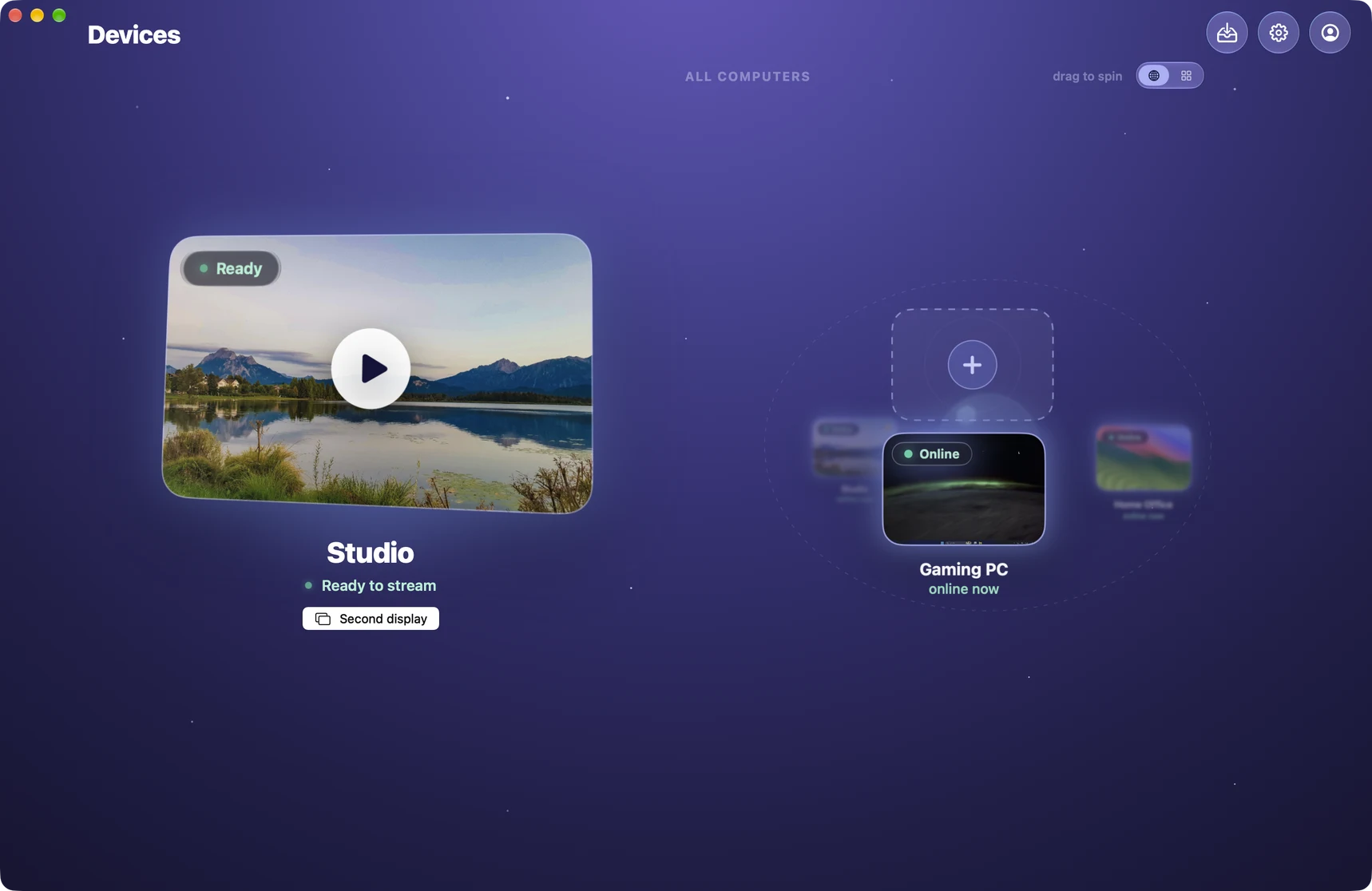

This matters more than it sounds, and it's why we think Remio's architecture is a genuinely good starting point for an agent runtime, not just a convenient one. Agent platforms that fake input at the application layer — synthetic keystrokes into a window's event queue, or accessibility APIs driving UI elements directly — hit limits constantly: protected fields refuse the input, native shortcuts misfire, drag-and-drop doesn't work between apps, focus management gets confused. Routing through the OS-level input pipeline already sidesteps all of that, for the human sessions running today. Extending it to agent sessions is design work we still have to do — but the substrate doing the hard part is already shipping.
The privilege boundary would carry over unchanged, by design. The host's Accessibility and Input Monitoring permissions, granted to the Remio Host app by a human once, already gate every input event a human session sends. The design commitment is that an agent session would be gated by that same exact grant — no separate permission an agent could hold on its own, no wider door than the one the human already opened for the app.
Screen access, and the design for how an agent would use it.
Remio's screen-capture pipeline already streams a live view of the host to a human client today — full frames, hardware-encoded, in real time. An agent runtime would need a few more shapes of that same data: a still capture on demand, a smaller region, a structured read of what's on screen. None of those extra shapes exist in shipped code yet.
What ships today is the live stream: the host's screen, captured continuously, encoded in hardware, and delivered over the same encrypted channel a human client already uses. An agent runtime would reuse that same pipeline for its own still captures — a single frame on demand, or just the region a model already knows to look at — instead of standing up a second, separate capture path. That reuse is a design choice we've settled on, not a claim about what exists today.
For agents that reason better over text than pixels, the design sketches a transcript mode: on-screen text returned with bounding boxes, generated with the platform's own OCR (Vision framework on macOS, Windows OCR API on Windows) rather than a vision model in the loop. Nothing about this has been built. It's on the list because it would let an agent turn a text match into a precise click without ever sending a frame to its model — a real efficiency gain, if we build it well.
For the highest-fidelity structured access, the design also sketches a read of the OS accessibility tree for the focused window — the same tree a screen reader walks: a labelled hierarchy of buttons, text fields, menus, and roles. None of this exists yet either. And in every version of this we're sketching, the same rule from the input pipeline carries over: an agent session would see exactly what the host's screen-recording permission already allows a human session to see, no more. If that permission is off for a display, an agent would get nothing back from that display — same as a human client would today.
The rails we're committing to before writing the agent code.
These aren't features to build later and hope we get right. They're the constraints the whole Agent Runtime design has to satisfy before any of it ships — decided now, while there's still no code to design around them.
Every Remio session — human or agent — would start the same way: a human scanning the QR code, or typing the Device ID and PIN, shown on the host's screen into Remio. There is no design under consideration where an agent creates its own session, holds a token it can silently refresh, or extends access past the moment the human who paired it decides to end it. The next agent run would need the human to pair again — a new human-in-the-loop moment, every time, by design.
While an agent session is active, both the host and the client would show a persistent, unmistakable indicator — and a Stop control that ends the session immediately, reachable by whoever is sitting at the host keyboard, not only the person who started it. Every action the agent takes would be written to an audit log the human can review. None of this exists in shipped code today; it's the bar the design has to clear.
The permission boundary is the same story as the input and screen sections above: an agent session would inherit exactly the host's OS-level permissions a human session already respects — Screen Recording, Accessibility — nothing wider. It would not get its own elevated grant, and it would not have a path to widen the envelope the human already set for the Remio app. If a capability we're designing can't fit inside that boundary, it doesn't ship.
No SDK yet — here's the shape we're designing toward.
Remio hasn't published an agent SDK, an API surface, or a connection spec for agents. What we do have is a short list of primitive capabilities the design keeps coming back to — input, screen access, structured UI reads — and a commitment that whatever ships will be model-agnostic from day one.
The shape we keep landing on is intentionally small: a couple of primitives for input (a click, a key), a couple for vision (a still frame, a region), one for a structured UI read. That's the sketch, not a spec — none of it has shipped, and the exact interface is still open. What we're committing to now is the shape, not the syntax.
Model-agnostic is a design requirement, not an aspiration we'll get to later. Whatever ships would work the same way whether the model planning the workflow is Claude, GPT, Gemini, or something you run yourself. We're not building this around one vendor's tool-calling format, because the moment we lock the runtime to one model's interface, we've made the wrong kind of promise.
The desktop runtime and the agent's own runtime are two different things, and we intend to keep it that way. Remio would be the thing that gets an agent's actions onto a real desktop; the model, the planning loop, and where it runs would stay entirely up to whoever builds the agent. We're not planning to host, meter, or gate access to models ourselves.
What this design isn't built for.
A real-desktop runtime would be the right shape for some agent workflows and the wrong one for others. Here is the short, honest cut — even before any of it ships.
Remio isn't built for an agent that only needs a web browser — scraping pages, filling forms, reading dashboards. A whole remote-desktop session is more than a browser tab needs, and Remio is not trying to compete in that category.
Remio isn't built for an agent that needs dozens of disposable environments — one per task, fresh state each time, parallel execution. Remio is built around a persistent human-paired session, which is the opposite shape: low concurrency, high continuity, real user context.
If we build the Agent Runtime the way this page describes, it would be the right answer when the agent needs a real OS desktop with native apps, the user's actual installed software, the user's real accounts and files, and a human-in-the-loop session boundary. Accessibility agents driving a desktop for a user with disabilities. AI-assisted QA on real OS apps. Agentic workflows that have to use a specific native tool the user already owns. Any task where "use my actual machine, with everything on it, while I supervise" is the natural framing. For those cases, once it ships, Remio would be the runtime.
Common questions about the Agent Runtime we're designing.
Five questions this design tends to raise — honest answers below, including the ones where the honest answer is "not yet."
Can I use Claude, GPT, or another AI agent to control my computer through Remio today?
Could an agent start a Remio session on its own, without a human?
How would the host know an agent is connected instead of a human?
Would an agent be able to see or reach more than a human session already can?
Which AI models would work with Remio's Agent Runtime?

Real today: a fast, private desktop for you. Coming: the same desktop for your AI agents.
Install Remio for the fastest, most private way to reach your own Mac, PC, or Linux machine — native input, native screen access, end-to-end encryption, no account required. The Agent Runtime described on this page hasn't shipped, and we're not promising a date — but the same architecture is exactly why we think it's worth building.