RustDesk alternative · native & zero-setup

Still running your own relay? Meet the native, zero-setup alternative.

RustDesk is free and open-source — that part is genuinely true, and it's one of its best qualities. But reliable use means either standing up your own hbbs + hbbr relay on a VPS, or trusting a shared public server you don't control, and its Flutter-on-Rust UI never quite drives any one platform natively. Remio skips both trade-offs: a fully native app everywhere, a managed relay with nothing to provision, and pairing with a 4-digit one-time PIN — no account, no server, no config file.

Why people switch

Why people look for a RustDesk alternative

RustDesk earns real loyalty for being open-source and self-hostable, and it deserves credit for that. The reasons people go looking for something else are rarely about price — RustDesk is already free — they're about how much infrastructure and UI trade-off stand between installing it and getting a fast, native session.

01
The self-hosting trade-off

Open source, but the server is on you

RustDesk is licensed under AGPL-3.0, and every piece of it — the client, the hbbs signal server, the hbbr relay — is on GitHub for anyone to read, patch, or fork. Self-hosting that relay gives you full control of the infrastructure, and for some teams that's a hard requirement, not a preference.

The honest cost is that "full control" means you provision a VPS, open ports, keep the OS patched, and watch uptime yourself. The alternative — RustDesk's default public relay — is free, but it's rate-limited and best-effort, so anyone leaning on it for real work runs into stalls and drops when it's busy.

02
The UI trade-off

One UI skin, never fully native anywhere

RustDesk's client is Flutter running on top of a Rust core — the same interface across macOS, Windows, Linux, iOS, and Android. That's a deliberate, defensible engineering choice: it gets RustDesk onto more platforms, including a first-class Linux client, from one codebase. The trade-off shows up in feel — it doesn't drive each OS's native rendering and hardware-decode path directly, so hardware codec support ends up partial and inconsistent from platform to platform, and the app looks and behaves the same everywhere rather than fitting into any one of them.

03
The pairing model

A 9-digit ID and a password — you still have to manage

Pairing with RustDesk means a 9-digit device ID plus a password you set yourself. It works, and it needs no central account — but it's a different generation of remote-access UX than the PIN-and-expiry flows now common on mobile, and self-hosting the relay adds its own layer of keys and access rules to keep track of on top.

04
The latency depends on your setup

Speed is a decision you have to make yourself

On RustDesk's default public relay, typical latency runs meaningfully higher than a direct, hardware-encoded path. Self-hosting your own hbbs and hbbr narrows that gap, but only if you provision it well and tune it yourself. For anyone who just wants to open an app and get a responsive session immediately, that's a lot of infrastructure decision-making standing between you and your own machine.

The replacement checklist

What to look for in a replacement

Six tests, written against the specific trade-offs of a self-hosted, cross-platform tool like RustDesk. If a candidate fails one, you'll feel it within the first session.

Native apps, not a shared UI skin
Look for a per-platform native app that drives each OS's hardware encoder, decoder, and input pipeline directly — not one Flutter or web-view interface stretched across every platform. That's where both the feel and the latency come from.
A zero-setup relay
The relay should just exist — a managed service with credentials that rotate automatically — not a VPS you provision, patch, and monitor, and not a public server you have to hope is not overloaded today.
Simple pairing, no ID to write down
A short one-time PIN with an expiry window beats a 9-digit device ID plus a password you have to store somewhere safe. Both skip a central account — only one of them is actually simple to use.
End-to-end encryption stated plainly
Session keys should be negotiated directly between your devices so a relay in the middle only ever forwards ciphertext. Look for that claim stated outright, not one whose strength quietly depends on how you configured your own server.
Full platform coverage without server ops
You should be able to reach a machine on any supported platform without first deciding whether to trust a shared public relay or run your own. If the answer to "can I connect" depends on infrastructure you own, that's a cost the tool is quietly passing to you.
Free is fine — convenience matters too
Being free is good, and RustDesk already is. The bar for a genuine upgrade is that free doesn't also mean becoming your own sysadmin to get a fast, reliable session.
Meet Remio

Native on every platform. Nothing to host.

Remio streams through fully native apps — SwiftUI on iOS, iPadOS, and macOS; Jetpack Compose on Android; a native Windows client — each one driving its platform's hardware encoder and decoder directly. There's no shared cross-platform UI skin, and no relay to stand up: Cloudflare's managed TURN handles the fallback path automatically, with credentials that rotate on their own.

Pair with a 4-digit one-time PIN. No account, no server, no config file.

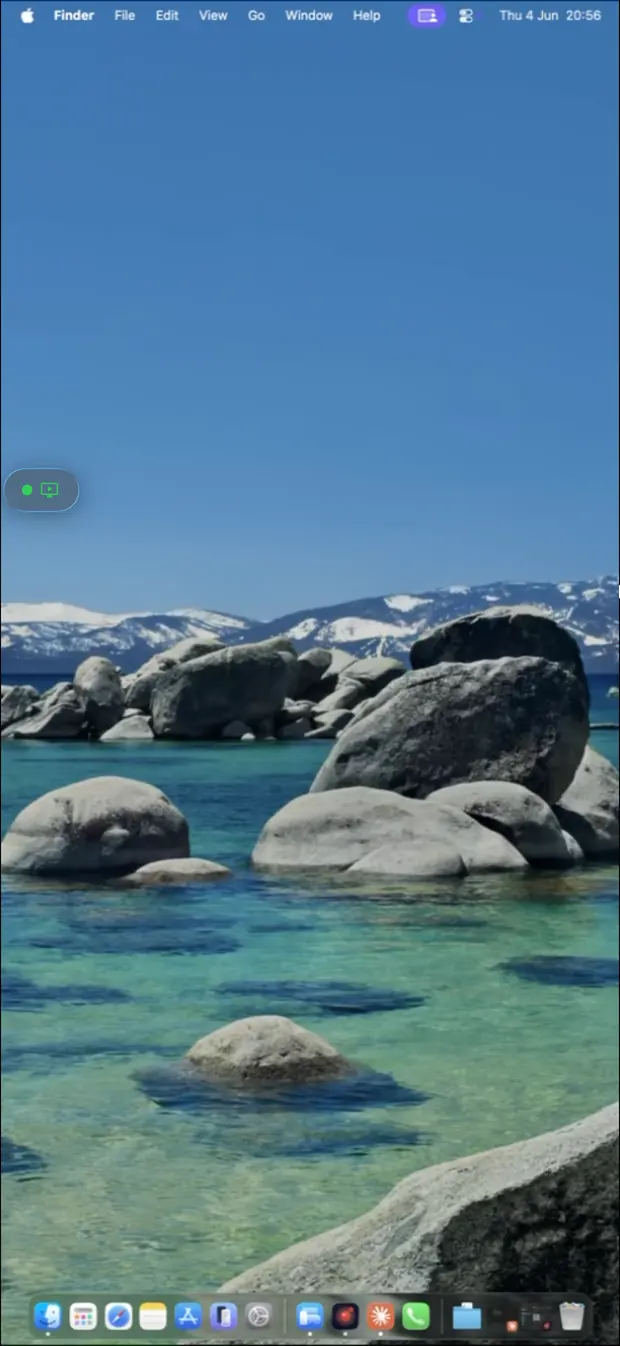
Remio streaming a Mac desktop on iPhone — native app, no server, no account
The factual record

What it costs (nothing) and what it ships

No marketing adjectives — just the design decisions and the measured numbers behind them.

01
Free, nothing to provision

Every feature, every platform — and no VPS bill

Remio is free — every feature, every platform, no per-computer math. Unlike a self-hosted RustDesk relay, there's no VPS to pay for, no ports to open, and no ops time to spend keeping a relay healthy. The managed relay is simply included.

02
No account · PIN pairing

A 4-digit one-time PIN — and a 60-second window

There is no Remio account on either end. The host shows a 4-digit one-time PIN; type it into the client, and the pairing request expires in 60 seconds if you do not. The devices exchange keys and remember each other, so reconnecting later is instant — no device ID, no password to store.

03
End-to-end encryption

AES-256-GCM with ECDHE-Curve25519 key exchange

Sessions are encrypted end-to-end with AES-256-GCM, with keys negotiated between your devices over ECDHE on Curve25519. Keys never leave the endpoints, so when the managed relay is needed to cross a strict NAT, it forwards ciphertext it cannot decrypt. The full design is documented in the security whitepaper.

04
Native, hardware-accelerated

H.265 · AV1 · VP9 — on your GPU, not a shared runtime

Every Remio client is native and drives its platform's hardware video path directly — SwiftUI on Apple, Jetpack Compose on Android, native on Windows — with H.265, AV1, and VP9 available on hardware encoders and decoders where present. There's no Flutter or Rust-core UI layer sitting between the frame and the screen.

05
Measured, not marketed

~8 ms LAN glass-to-glass · 22 ms WAN — verified May 2026

On the same network, glass-to-glass latency measures around 8 ms at 4K 60 fps; across the internet within the same region, typical sessions measure 22 ms. Both figures were last verified in May 2026, with the full methodology and RustDesk's own numbers published on the Remio vs RustDesk comparison so you can reproduce them.

06
Quality & platforms

Up to 4K at 60 fps — native on every platform

Streams run up to 4K resolution at 60 fps, and multi-monitor hosts are fully supported. Every app is native. Hosts run on macOS 15+ and Windows 10 (build 19041+) or 11, Home editions included; clients run on iOS/iPadOS 18+, macOS 15+, Android 10+, Windows 10/11; on Apple Vision Pro, the iPad app runs today. A Remio Linux client is on the roadmap but does not ship yet — if that is what you need today, RustDesk's first-class Linux client is the better fit right now.

Head to head

RustDesk vs Remio at a glance

Eight rows on the model rather than a feature checklist. Where RustDesk is genuinely ahead — auditable open-source code and a fully self-hostable relay — the table says so plainly.

CapabilityRemioRustDesk
CostFree — managed relay included, nothing to provisionFree forever (OSS); a reliable self-hosted setup adds a ~$5–$20/mo VPS plus ops time
Account requiredNo — 4-digit one-time PIN, expires in 60sNo — 9-digit RustDesk ID + password you set
Source code auditableClosed sourceYes — AGPL-3.0, full source on GitHub
Relay / self-hostingManaged Cloudflare TURN, zero setup, ephemeral keysSelf-hostable hbbs + hbbr — full control if you run it yourself
Client UI100% native per platform — SwiftUI · Compose · native WindowsFlutter on a Rust core — one UI shared across every platform
Video codecs / hardwareH.265 · AV1 · VP9, hardware encode/decodeVP9 default; H.264/H.265 with partial hardware support
LAN latency~8 ms glass-to-glass~25 ms self-hosted, ~45 ms on the public relay
Platform coveragemacOS, Windows, iOS/iPadOS, Android, visionOS (Linux host only)macOS, Windows, Linux, iOS, Android — first-class Linux client
The honest field guide

Other alternatives worth considering

Remio is not the only credible next step from RustDesk. Two others people land on, plus the full head-to-head, with an honest sentence on when to pick each instead.

Remio vs RustDesk · the full breakdown
Twenty-five rows across performance, security, the account model, platforms, and pricing, plus a two-way verdict card that names exactly when RustDesk is the better fit. See Remio vs RustDesk.
TeamViewer · the category veteran
TeamViewer has the most mature feature set in the category — management consoles, remote printing, a huge supported-device list — and a real free tier for personal use. The catch: it requires an account, and automated commercial-use detection polices that free tier. See the full TeamViewer alternative guide.
AnyDesk · lightweight and account-optional
AnyDesk is fast to install and, like Remio, doesn't force an account for ad hoc sessions. It leans more toward attended support sessions than always-on unattended access, and its free tier is scoped to personal, non-commercial use. See the full AnyDesk alternative guide.
The five-minute switch

How to switch in 5 minutes

No relay to decommission, no address book to export, nothing to cancel first — Remio can run alongside RustDesk while you test. Two installs and one PIN, no server required.

01

Install the host

On the machine you want to reach — macOS 15+ or Windows 10 (build 19041+)/11, Home editions included — grab the host from the download page, launch it, and grant the screen-capture permission once. No relay to provision first.

02

Install the client

iPhone or iPad (iOS/iPadOS 18+), another Mac (macOS 15+), an Android phone or tablet (Android 10+), a Windows 10/11 PC, or Apple Vision Pro via the iPad app — all from the same download page.

03

Pair with the PIN

The host displays a 4-digit one-time PIN; type it into the client. The pairing request expires in 60 seconds, the devices exchange keys over ECDHE-Curve25519, and they remember each other — reconnections are instant, with no PIN and still no account.

04

Compare it on your own network

Run a session on the same LAN you use RustDesk on today and judge the feel for yourself. The full walkthrough — including unattended access setup — lives in the getting-started guide.

05

Keep RustDesk running if you need it

If a first-class Linux client or self-hosted infrastructure is a hard requirement for part of your setup, nothing here says to delete RustDesk — the full comparison spells out exactly when to keep it.

Common questions

Common questions about switching from RustDesk

The six questions people ask before they replace or supplement RustDesk. Straight answers below.

Is RustDesk really free?
Yes — RustDesk is genuinely free and open-source under AGPL-3.0. But free doesn't mean zero-effort: the default public relay is best-effort and rate-limited, so a lot of real deployments end up self-hosting hbbs and hbbr on a VPS, which brings its own recurring cost and maintenance work. Remio is also free, with a managed relay included, so there is nothing to provision either way.
Do I have to self-host anything with Remio?
No. Remio's relay runs on Cloudflare's managed TURN network with credentials that rotate automatically. There is no VPS to provision, no ports to open, and no relay software to patch — the job RustDesk's hbbs and hbbr do is simply handled for you.
Is RustDesk's UI really not native?
RustDesk's client is Flutter running on top of a Rust core — the same UI across macOS, Windows, Linux, iOS, and Android. That is a deliberate, defensible choice that gets RustDesk onto more platforms, including a first-class Linux client Remio does not yet ship. The tradeoff is that it does not drive each OS's native rendering and hardware-decode path the way a per-platform native app does, and hardware codec support ends up partial and OS-dependent as a result.
Do I need an account for either?
Neither requires an account in the traditional sense. RustDesk pairs with a 9-digit device ID and a password you set; Remio pairs with a 4-digit one-time PIN that expires after 60 seconds. Both skip a central login, but Remio's model has nothing to remember or write down.
Which one should I pick?
If self-hosting your own relay, auditing AGPL-3.0 source, or using a first-class Linux client matters to you, RustDesk is a legitimate and capable choice — it is free and it is genuinely open. If you want a native app on every platform and a relay that just works with nothing to provision, Remio is built for that instead.
Can I run both?
Yes. Installing Remio does not touch your RustDesk setup. Install the host and client, pair with a PIN, and compare the two side by side on your own network before deciding.
Remio app icon

Native everywhere. Nothing to host.

Install the host on the machine you want to reach, install the client on the device in your hand, type a 4-digit one-time PIN. No VPS to provision, no relay to patch, no account on either end — just a native app and a connection that works.