AnyDesk alternative · free · E2EE · no account

The AnyDesk alternative with nothing to breach

Remio is a free, end-to-end encrypted remote desktop with no account behind it — no credential database to dump, no relay that can decrypt your session, no commercial-use detector watching how you work. Pair two devices with a 4-digit one-time PIN; the keys never leave them.

The push factors

Why people look for an AnyDesk alternative

AnyDesk is a capable, mature product. The reasons people leave it are specific and documented — a breach of central infrastructure, a free tier that polices how you use it, and a paid tier waiting when the policing kicks in.

01
The early-2024 breach

Production systems compromised — certificate and portal credentials rotated

In early 2024, AnyDesk confirmed that attackers had compromised some of its production systems. The remediation it disclosed shows what was at stake: the company revoked and replaced its code-signing certificate, and reset every password for the my.anydesk.com customer portal as a precaution. AnyDesk reported finding no evidence that end-user devices were affected.

The takeaway is not that AnyDesk responded badly — it disclosed the incident and rotated what needed rotating. The takeaway is that a remote desktop vendor’s central infrastructure sits inside your threat model whether you think about it or not. If the vendor holds certificates and credentials that matter to your machines, a breach of the vendor is, transitively, a problem for you.

02
Commercial-use detection

A free tier that flags, then blocks

AnyDesk’s free tier is licensed for personal use, and the software enforces that with commercial-use detection. Sessions the heuristics judge to be business-like are flagged with warnings first; continued flags lead to blocked or time-limited connections. Because the detection is heuristic, it also catches regular personal users — the same flag-then-block path applies once the software decides your usage pattern looks commercial, whatever you were actually doing.

03
The price of the exit

Solo at $14.90 per month

When the free tier stops cooperating, AnyDesk’s published entry point is the Solo plan at $14.90 per month — $178.80 per year — licensed for a single user. For teams the per-seat price rises from there. Many of the people searching for an alternative are not businesses at all: they were using a free tool to reach their own machines, the tool reclassified them, and the remedy is a recurring subscription.

04
The structural issue

Account and ID infrastructure is an attack surface

Every AnyDesk endpoint is addressed by an ID issued from central infrastructure, and address books, licenses, and team features hang off a my.anydesk.com account. That design is what makes the product convenient — and it is also an attack surface. A central credential store can be breached, phished, or credential-stuffed regardless of how strong the session encryption is. The 2024 incident is what rotating that surface looks like in practice: new certificates, reset passwords, and every customer involved in the cleanup.

The checklist

What to look for in a replacement

If you are leaving AnyDesk over the breach, the policing, or the price, make sure the replacement actually removes the thing you are leaving. Five properties to verify before you commit.

End-to-end encryption with no relay decrypt path
Remote desktop traffic sometimes crosses a relay server when a direct connection fails. The question to ask: can the relay read the stream? If the architecture decrypts or re-encrypts at the relay, the honest answer is yes — “encrypted in transit” and “end-to-end encrypted” are different claims. Look for the second one, stated explicitly.
No central credential store to breach
Accounts mean a password database, and a password database is a breach target — plus a reset-everything day when it gets hit. A pairing model that keeps keys on your devices removes the target entirely. There is nothing to dump from a database that does not exist.
Truly free, without usage policing
A free tier that watches how you use it is a trial with extra steps. Truly free means no feature gates, no session limits, and no heuristic deciding that helping a colleague makes you a business.
Native apps on every platform
Wrapped web views and cross-compiled UI toolkits cost input latency, battery life, and platform integration. Native code is something you can feel: lower input lag, correct keyboard handling, system-standard permission prompts.
Low, measurable latency
Ask for numbers with dates, not adjectives. A vendor confident in its pipeline publishes LAN and WAN figures and says when they were last verified.
The replacement

Remio: free, end-to-end encrypted, no account

Remio passes the checklist by construction, not by policy. The properties below are architecture — there is no setting to misconfigure and no terms-of-service clause that can quietly change them.

No account — because none exists
Remio has no sign-up, no email field, and no credential database anywhere in the system. Devices pair with a 4-digit one-time PIN, and the resulting keys live on the devices themselves. There is no Remio account portal to log into — and therefore nothing of that shape to breach, phish, or mass-reset.
End-to-end encrypted — through the relay too
Sessions are encrypted with AES-256-GCM, with keys negotiated over ECDHE on Curve25519, end-to-end between your devices. When a direct path is blocked and traffic falls back to a TURN relay, the relay forwards ciphertext — there is no relay decrypt path, by architecture rather than by promise.
100% native apps
SwiftUI on iPhone, iPad, Mac, and Apple Vision Pro; Jetpack Compose on Android; C++/WinRT on Windows. No Electron, no wrapped web view — every client renders and reads input through the platform’s native stack.
Completely free, every feature included
4K streaming, unattended access, multi-monitor, end-to-end encryption — all of it free, on every platform. And there is no commercial-use detection, so nothing flags, throttles, or blocks a session based on what it looks like.
Measured latency, with a date attached
Sub-5 ms on a LAN and 22 ms WAN same-region, verified May 2026. Streams run up to 4K 120 fps with 4:4:4 chroma — text-grade color — and multi-monitor setups are supported.
Platforms
Hosts: macOS 15+ and Windows 10 (build 19041 or later) and Windows 11. Clients: iOS and iPadOS 18+, macOS 15+, Android 10+, Windows 10/11, and visionOS 2.0+.
Side by side

AnyDesk vs Remio at a glance

The ten rows that matter for someone deciding whether to switch. Numbers are current as of May 2026.

Capability Remio AnyDesk
Price Free tier; paid from $14.90/mo (Solo)
Account my.anydesk.com account + central ID
Commercial-use detection Yes — free sessions flagged, then blocked
E2EE / relay model Encrypted to relay; relay re-encrypts
What a breach could expose 2024: code-signing certificate and portal credentials rotated
LAN latency ~22 ms
WAN latency (same region) ~55 ms
Max stream quality 1080p default; 4K on paid tiers (4:2:0)
Native stack Native desktop apps; Catalyst on iOS
Platforms Windows, macOS, Linux, iOS, Android, FreeBSD, ChromeOS, Raspberry Pi

Ten rows is the summary. The full Remio vs AnyDesk comparison runs the complete matrix — codecs, key exchange, IT tooling, and per-tier pricing — across 27 capabilities, including the places where AnyDesk wins.

Honest field guide

Other alternatives worth considering

Remio is not the only way out, and it is not the right fit for every setup. Three other tools people land on, and when each one makes sense.

RustDesk — open source, self-hostable
RustDesk is open source, and you can self-host its relay and rendezvous server so no third party touches your connection metadata at all. It fits when auditability and full infrastructure control matter more than polish, and you are comfortable running a server. See how it stacks up in Remio vs RustDesk.
Chrome Remote Desktop — free and minimal
Free, reliable for basic access, tied to a Google account, with a deliberately small feature set. It fits when you already live in Google’s ecosystem and need occasional, simple access more than performance or features. Details in Remio vs Chrome Remote Desktop.
TeamViewer — mature, with a familiar pattern
TeamViewer has the most mature feature set in the category — file transfer, remote printing, management consoles — but it follows the same commercial-use detection pattern as AnyDesk, disclosed a compromise of its internal corporate IT environment in 2024 (the company reported its product environment and customer data were unaffected), and its paid plans start at $24.90 per month. It fits IT teams that need the full management toolchain and have budget for it. Full breakdown in Remio vs TeamViewer.
The switch

How to switch in 5 minutes

There is nothing to migrate and nothing to export — AnyDesk and Remio can coexist on the same machines while you test. The full walkthrough lives in the getting-started guide.

Step 01 · Install the Remio host
On the machine you will connect to: macOS 15+ or Windows 10 (build 19041 or later) / Windows 11. Grab it from the download page; on macOS, grant Screen Recording permission once when prompted.
Step 02 · Install the Remio client
On the device in your hand: iPhone or iPad (iOS/iPadOS 18+), an Android phone or tablet (Android 10+), another Mac (macOS 15+), a Windows PC (Windows 10/11), or Apple Vision Pro (visionOS 2.0+). All clients are on the same download page.
Step 03 · Pair with a 4-digit one-time PIN
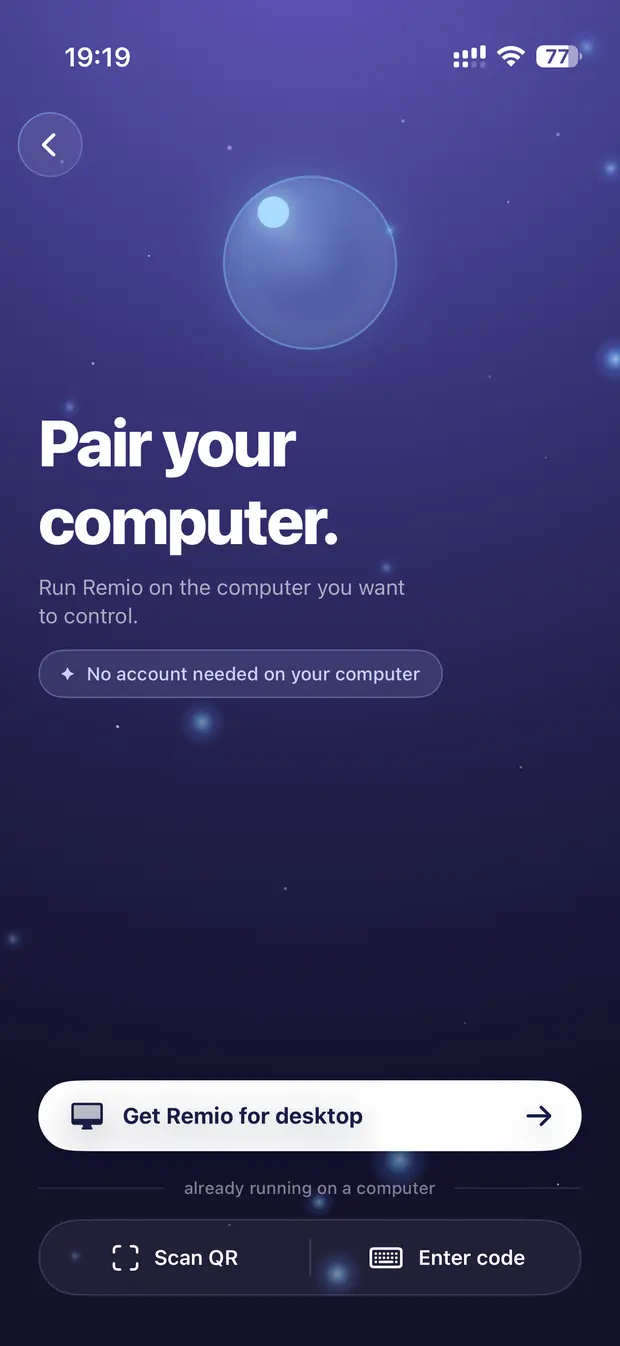
The host displays a 4-digit one-time PIN; type it into the client. The devices exchange encryption keys directly, remember each other for future sessions, and the PIN expires. There is no account step, because there is no account.
Step 04 · Optional: unattended access + Wake-on-LAN
Enable unattended access on the host so you can connect without someone clicking accept on the other end, and set up Wake-on-LAN to wake the machine from sleep before you connect. Both are covered step by step in the getting-started guide.
Common questions

AnyDesk alternative FAQ

The five questions people ask before they switch. Straight answers below.

Yes. Remio is completely free — every feature, on every platform. 4K 120 fps streaming, end-to-end encryption, unattended access, and multi-monitor support are all included, and there is no commercial-use detection deciding how you are allowed to use it.
There is no account database to steal — Remio stores no emails, no passwords, and no credentials at all. Sessions are end-to-end encrypted between your devices, and the signaling server never sees encryption keys or session content. A TURN relay, when one is used at all, forwards ciphertext it cannot read.
No. There is no commercial-use detection of any kind. Use Remio at home, at work, or on client machines — sessions are never flagged, throttled, or blocked based on what your usage looks like.
Yes. Enable unattended access on the host and you can connect without anyone accepting on the other end. Pair it with Wake-on-LAN and you can wake a sleeping machine and be on its desktop a few seconds later.
Hosts: macOS 15+ and Windows 10 (build 19041 or later) and Windows 11. Clients: iOS and iPadOS 18+, macOS 15+, Android 10+, Windows 10/11, and visionOS 2.0+. Every app is 100% native — SwiftUI, Jetpack Compose, and C++/WinRT.
Free, all features · no account · no card

Switch in five minutes — with nothing to breach.

Install the host, install the client, type a 4-digit one-time PIN. Your machines pair end-to-end encrypted with no account, no credential database, and no commercial-use detection — and every feature is free. AnyDesk can stay installed while you compare.

Hosts: macOS 15+, Windows 10/11. Clients: iOS, iPadOS, Android, Windows, macOS, visionOS. Sub-5 ms LAN latency, verified May 2026.