Compare · Remio vs Chrome Remote Desktop

Free vs native, side by side.

A direct comparison across latency, the account model, privacy, codec quality, and what each tool was actually designed to do. Numbers are current as of June 2026 and name where Chrome Remote Desktop still wins. Ready to switch? Start with the Chrome Remote Desktop alternative guide.

Head to head

Remio vs Chrome Remote Desktop at a glance

Twenty-six rows across performance, privacy, input, platforms, and pricing. Where Chrome Remote Desktop is genuinely ahead — zero-install browser access and ChromeOS host coverage — the table says so.

CapabilityRemioChrome Remote Desktop
Performance
LAN glass-to-glass latency8 ms50–150 ms
Maximum resolution4K (3840 × 2160)1080p in practice
Frame rate ceiling60 fps~30 fps typical
App typeNative (Swift / Kotlin / C++)Browser-based (Chrome tab)
Video codecsH.265 · AV1 · VP9VP8 / VP9 via WebRTC
Hardware encode / decodeAMF · NVENC · VideoToolboxBrowser-mediated, software fallback
Audio streamingYesNo (host audio only)
Privacy and access
Account requiredNoGoogle account on both ends
Pairing model4-digit PINGoogle sign-in + 4-digit PIN
Central user databaseNoneGoogle account directory
End-to-end between devicesYes (no relay decrypts)Encrypted in transit via Google
Product telemetryNoneGoogle analytics, account activity
Input and use cases
Gamepad supportYes (Xbox / PS / MFi)No
Apple Pencil and stylus inputYes (pressure + tilt)No
4:4:4 chroma (text-grade)YesNo (4:2:0)
Multi-monitorYes (free, all displays)Yes (switch one at a time)
Mobile input optimizationNative gestures, smart touch zonesTouch-to-click mapping
File transferIn progressBasic upload / download
Platform support
macOS · iOS · iPadOSNativeBrowser host, native viewer apps
Windows · AndroidNativeBrowser host, native viewer apps
visionOSNativeNo
Linux · ChromeOSLinux host: Yes (v1.0, X11); ChromeOS: NoYes, both
Pricing (June 2026)
Personal use$0 (no commercial detection)$0
Paid upgradeNone — every feature included free
Business managementGoogle Workspace from $6 / user / mo
You pay withNothing — no account, no upsellA Google account and its metadata
The verdict

Which one should you pick?

Remio wins on latency, native platform parity, end-to-end encryption, gaming and stylus input, and the no-account model. Chrome Remote Desktop wins on zero-install access from any Chrome browser and ChromeOS host coverage. Here is the honest split.

Choose Remio if…

You want realtime speed, real privacy, and no Google account.

You need sub-10 ms LAN latency for typing in a remote terminal, scrubbing a Figma file, or playing a frame-sensitive game with a controller; you want end-to-end encryption where no relay can decrypt your session; and you would rather pair with a 4-digit PIN than tie every device to a Google account. Every feature is free, on every platform, with no commercial-use detector deciding you owe money.

Stick with Chrome Remote Desktop if…

You live inside Google's ecosystem and only need occasional access.

You already sign into a Google account everywhere, you need to grab a file or check a long-running script from a random Chrome browser with zero install, or your fleet includes ChromeOS hosts. For anything latency-sensitive, anything private, or anything you do every day, Remio is the better tool — but for a quick, occasional, browser-only check-in, Chrome Remote Desktop is genuinely the easier pick.

Detailed breakdown

Where each tool wins

Five categories, one paragraph each. The numbers in the table above are the headline; the paragraphs below are the why.

01
Latency and the browser tax

Native glass-to-glass, not a Chrome tab

Chrome Remote Desktop ships as a Chrome extension. The whole pipeline — capture, encode, transport, decode, render — lives inside a browser sandbox, falling back to software paths where hardware acceleration is not available. In practice that lands you at 50 to 150 ms LAN latency and a ceiling near 30 fps at 1080p. Remio is a native app on both ends — it taps the platform's built-in screen capture, encodes H.265 directly on your GPU, streams device-to-device, and decodes on the other side's hardware. The result is 8 ms glass-to-glass on a LAN at 4K 60 fps. Above slow links the gap is visible — typing in a terminal, dragging in Figma, scrubbing a Premiere timeline.

02
The account model

No account, no central user list, nothing to tie together

Chrome Remote Desktop requires a Google account on both the host and every client device. Your fleet, your access history, and your session metadata are tied to that account. Remio has no account. A four-digit PIN pairs two devices, the pairing record lives on each device, and there is no my.remio.net to log into, no password to reset, and no central user list for an attacker to dump. If you have a strict reason to keep remote-access activity off a personal or work Google identity, Remio is the only one of the two that can give you that.

03
Privacy and encryption

End-to-end between devices, not end-to-end-with-Google

Both products encrypt the wire. Remio runs DTLS 1.3 for media and AES-256-GCM for the data channel, end-to-end between your devices, with keys negotiated through ECDHE over Curve25519. Chrome Remote Desktop encrypts to and from Google's infrastructure, where connection metadata and account activity are visible to the platform. For most casual users that distinction is invisible. For anyone under compliance, legal-hold, or audit obligations, end-to-end between two devices is meaningfully different from end-to-end-with-Google-in-the-middle.

04
What each tool was designed for

A quick browser tool vs a daily-driver remote desktop

Chrome Remote Desktop is a deliberately minimal tool — quick, free, browser-resident remote access for the times you need to grab a file or check on a long-running script. It has no gamepad, no stylus, no audio streaming, no 4:4:4 chroma, no HDR, and no roadmap to add them. Remio is built as the daily-driver remote desktop: 60 fps, 4K, native gamepads, Apple Pencil with pressure and tilt, native audio, multi-monitor, and AI-powered bandwidth adaptation. If your remote work is real work — gaming, design, video, code, music — those omissions are the entire difference between "this is fine" and "this is unusable."

05
Pricing and longevity

Free because Google monetizes elsewhere, free because we mean it

Chrome Remote Desktop is free and is likely to stay free, since it is a small feature inside a much larger product. The currency is your Google account. Remio is free outright — multi-monitor, 4K, 60 fps, no commercial-use warnings, every feature included, and no account at any price. The simpler way to read the two: Chrome RD is free because Google has other ways to monetize the relationship; Remio is free because we believe the core remote-desktop experience should be free. Every feature is included, free — no upsell, no paywall.

Native, not a browser tab

Every pixel, on real hardware.

Remio streams a full desktop to a native app on every device — SwiftUI on Apple, Jetpack Compose on Android, C++/WinRT on Windows. No Chromium runtime in the rendering path: frames go from the hardware decoder to the screen the way the OS intends, which is where the sub-10 ms LAN latency comes from.

Pair with a 4-digit PIN. No Google account, no browser tab.

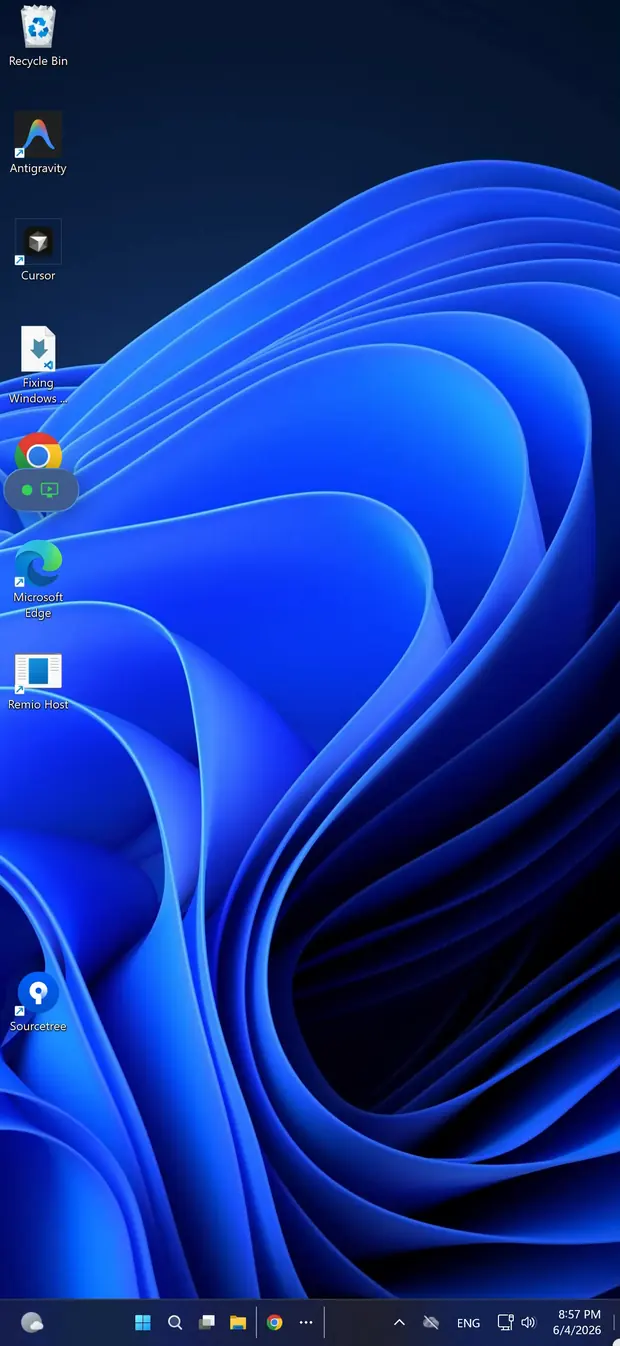
Remio streaming a Windows desktop on iPhone — no Google account, no browser tab
The five-minute switch

How to switch in 5 minutes

No migration tools, no Google account to link, no browser tab to keep open. Two installs, one PIN, and an optional toggle for unattended access.

01

Install the host

On the machine you want to reach — macOS 15+ or Windows 10 (build 19041+)/11 — grab the host from the download page, launch it, and grant the screen-capture permission once. It then waits in the menu bar or system tray.

02

Install the client

On the device you connect from — iPhone or iPad (iOS/iPadOS 18+), another Mac (macOS 15+), Android (10+), a Windows 10/11 PC, or Apple Vision Pro via the iPad app — install the Remio client from the same download page.

03

Pair with the PIN

The host displays a 4-digit one-time PIN. Type it into the client within 60 seconds — the PIN expires after that — and the devices exchange keys over ECDHE-Curve25519 and remember each other. Reconnections are instant, no PIN required.

04

Optional: unattended

Flip on unattended access in the host settings to connect without anyone at the remote end, and enable Wake-on-LAN to wake a sleeping machine first. The full walkthrough is in the getting-started guide.

Common questions

Common questions about switching from Chrome Remote Desktop

The four questions people ask before they replace Chrome Remote Desktop. Straight answers below.

Is Remio faster than Chrome Remote Desktop?
Yes. On a LAN, Remio measures around 8 ms glass-to-glass at 4K 60 fps. Chrome Remote Desktop typically runs 50 to 150 ms because it routes through Google's WebRTC stack inside a Chrome tab and tops out near 30 fps at 1080p in practice. For typing, gaming, or creative work, the difference is visible.
Does Remio require a Google account?
No. Remio uses a four-digit PIN to pair devices. There is no email, no password, and no central user database. Chrome Remote Desktop requires a Google account on both ends — your host and every client device are tied to that account.
Can I use Chrome Remote Desktop for gaming?
In practice, no. Chrome Remote Desktop was not designed for gaming. It has no gamepad support, no low-latency mode, no 4:4:4 chroma, and the in-browser WebRTC pipeline adds enough buffering that mouse and keyboard input feel sluggish. Remio supports gamepads natively and targets sub-20 ms input latency on a LAN.
What about privacy — does Google collect Chrome Remote Desktop data?
Chrome Remote Desktop is tied to your Google account and runs on Google's infrastructure. Connection metadata, account activity, and product telemetry flow through Google's servers. Remio has no account and no central server that decrypts your sessions — pairing is local, and media is end-to-end encrypted between the two devices.
Other comparisons

Compare Remio to the rest of the field

Same numbers, same structure, twelve other tools. Pick the one closest to what you already use.

Remio app icon

Try Remio for an afternoon.

Download once, pair with a PIN, see the latency on your own LAN. No Google account, no browser tab, no telemetry. If Chrome Remote Desktop still serves you better, you are out exactly five minutes.