✦Compare · Remio vs Parsec

Remio vs Parsec — gaming-first vs privacy-first, side by side.

Bottom line — choose Remio for real privacy, a generous free tier, and $0. A direct comparison across latency, colour fidelity, the account model, platform support, and pricing. Parsec pioneered low-latency remote gaming; Remio takes a different approach with privacy and native apps at the core. Numbers are current as of May 2026. Ready to switch? Start with the Parsec alternative guide.

✦Head to head

Remio vs Parsec at a glance

Thirty rows across performance, security, the account model, platforms, creative & gaming tooling, and pricing.

CapabilityRemioParsec
Performance
LAN processing latency~8 ms processing~10–14 ms
WAN typical latency (same region)Low double-digit ms~25 ms
Maximum resolution6K (6016 × 3384)The host display's resolution
Frame rate ceiling120 fps60 fps
4:4:4 chroma (text-grade)4:4:4 on Mac or NVIDIA PC → Mac and Windows (4:2:0 elsewhere)Warp tier only
HDR pass-throughYes (Mac with Apple silicon or Windows PC → HDR screens)No
Video codecsH.265 · H.264H.264 · H.265
Multi-monitorSwitch, free at all tiersWarp tier only
Security
Transport encryptionDTLS-SRTP, end-to-endDTLS + AES-256
Data-channel encryptionEnd-to-end encryptedAES-256, in-transit
End-to-end between devicesYes (no relay decrypts)Direct UDP when reachable
Key exchangeEphemeral per-session keysECDHE
Central directory of hostsNoneparsec.app account
Account & access
Account requiredNoYes (email + password)
Pairing modelSix-digit codeEmail invite via parsec.app
Central user databaseNoneParsec (Unity-owned)
Address book / hosts listLocal, on deviceCloud, behind account
Platform support
macOS · iOS · iPadOSNativeNative
Windows · AndroidNative, host and clientNative, primary platform
visionOSNativeNo
Linux hostYes (X11 and Wayland)Yes
Web browser clientNoYes (Chrome)
Creative & gaming tooling
Apple Pencil and touch inputPoint, tap, and scrollNo
Wacom tablet (pressure + tilt)Pointer onlyYes
Gamepad (button mapping)YesYes
Local co-op (Arcade mode)NoYes
Enterprise SSO and auditRemio Business — coming soonYes (Teams tier)
Pricing (October 2026)
Personal use$0 (up to 6K at 120 fps, dedicated virtual display)$0 (single monitor, basic colour)
Entry paid plan—$9.99 / month (Warp)
Team / business plan—$35 / user / month (Teams)
✦Why Remio

Why people choose Remio

Remio's strengths are the no-account model, iPad and Apple Pencil support, and the free-tier ceiling — with true 4:4:4 chroma now live from Macs and NVIDIA PCs to Mac and Windows (more pairs on the way), free at every tier. Both apps feel essentially identical on raw latency.

Choose Remio if…

You want real privacy, a generous free tier, and $0.

You want true 4:4:4 chroma free — live on Mac or NVIDIA PC → Mac and Windows — instead of gated behind a paid plan, an account-free six-digit code instead of an email-and-password directory, Apple Pencil support on iPad, and a 6K, 120 fps ceiling that never asks you to upgrade. Both apps feel equally fast on a LAN — Remio's edge is privacy and price, not raw speed.

✦Detailed breakdown

How they differ

Six categories, one paragraph each. The numbers in the table above are the headline; the paragraphs below are the why.

01
Latency

Both apps feel essentially the same on a LAN

Both apps feel essentially the same on a LAN. Remio measures about 8 ms of processing (the rest is your display's own 60 Hz refresh cadence) at 4K — your input lands before the next frame draws; Parsec lands in the 10–14 ms range on the same hardware. The pipelines are similar — direct UDP transport, hardware H.265 encode and decode, no buffering — and the difference is below the threshold most people can perceive while gaming or working. If you have ever used Parsec and thought "this is fast enough," Remio will feel the same.

02
Colour and image quality

True colour coming free, vs gated behind Warp

Remio sends H.265 at 4:2:0 today; true 4:4:4 chroma — every pixel carrying its own colour value, no red-green fringing on UI, correct-looking Final Cut or DaVinci timelines — is now live from Macs and NVIDIA PCs to Mac and Windows (more pairs on the way), free at every tier. Parsec sends 4:2:0 chroma by default and unlocks 4:4:4 only on the paid Warp tier. For gaming the difference is invisible either way. For coding, design review, or anything text-heavy, free 4:4:4 is where the difference shows.

03
The account model

No account, no central directory, nothing to breach

Remio has no account. A six-digit code pairs two devices, the pairing record lives on each device, and there is no central directory of hosts. Parsec requires an email address and a password, and uses parsec.app to find and join hosts — which means a credential database exists. Parsec is owned by Unity Technologies, so that credential database lives behind Unity infrastructure. None of this is bad, but if the idea of a corporate-owned directory sitting in the middle of your remote session makes you uneasy, Remio is the alternative.

04
Platform support

Remio adds visionOS and Apple Pencil on iPad

Both apps cover macOS, Windows and Android; Parsec has no iPhone or iPad app. Remio adds visionOS and ships iOS as a fully native app with Apple Pencil working as a precise pointer — point, tap, and scroll on iPad. Parsec offers a Chrome-based web client for one-off access from machines you do not control, Wacom-tablet pressure and tilt for digital artists working from a desktop tablet, and a native Linux client — Remio's Linux support is host-only for now. Remio ships hosts for macOS, Windows, and Linux (X11 and Wayland).

05
Creative and gaming tooling

Parsec adds Arcade co-op; Remio focuses on one client

Parsec's Arcade mode lets multiple remote controllers feed into one host machine for split-screen co-op over the internet. Parsec also supports Wacom pressure and tilt for remote digital art, plus enterprise SSO and audit logs on the Teams plan. Remio focuses on touch and Apple Pencil for iPad workflows, and treats single-client interactive remote access as the central use case rather than multi-controller co-op.

06
Pricing

Free, no per-device cap vs $9.99–$35 / month

Remio's core remote desktop is free with no per-device cap, no resolution gate, no commercial-use detection — up to 6K at 120 fps and monitor switching ship free, never gated behind a subscription. Remio Pro is a separate, optional subscription — $1.99 a month — for extras like two-way file transfer and extra virtual displays. Parsec's free tier limits you to a single monitor and basic 4:2:0 colour. Warp at $9.99 per month unlocks multi-monitor, better colour, and Wacom support. Teams runs $35 per user per month for SSO, admin, and audit. For a single creator, gamer, or developer who just needs to reach one machine reliably, the cost gap matters over a year.

✦Native, not a web wrapper

Every pixel, on real hardware.

Remio streams a full desktop to a native app on every device. No Chromium runtime in the rendering path: frames go from the hardware decoder to the screen the way the OS intends, which is where the ~8 ms LAN processing latency comes from — true 4:4:4 colour is now live — Macs and NVIDIA-powered PCs streaming to Mac and Windows, more pairs on the way.

Pair with a six-digit code. No account, no Warp tier gating 4:4:4.

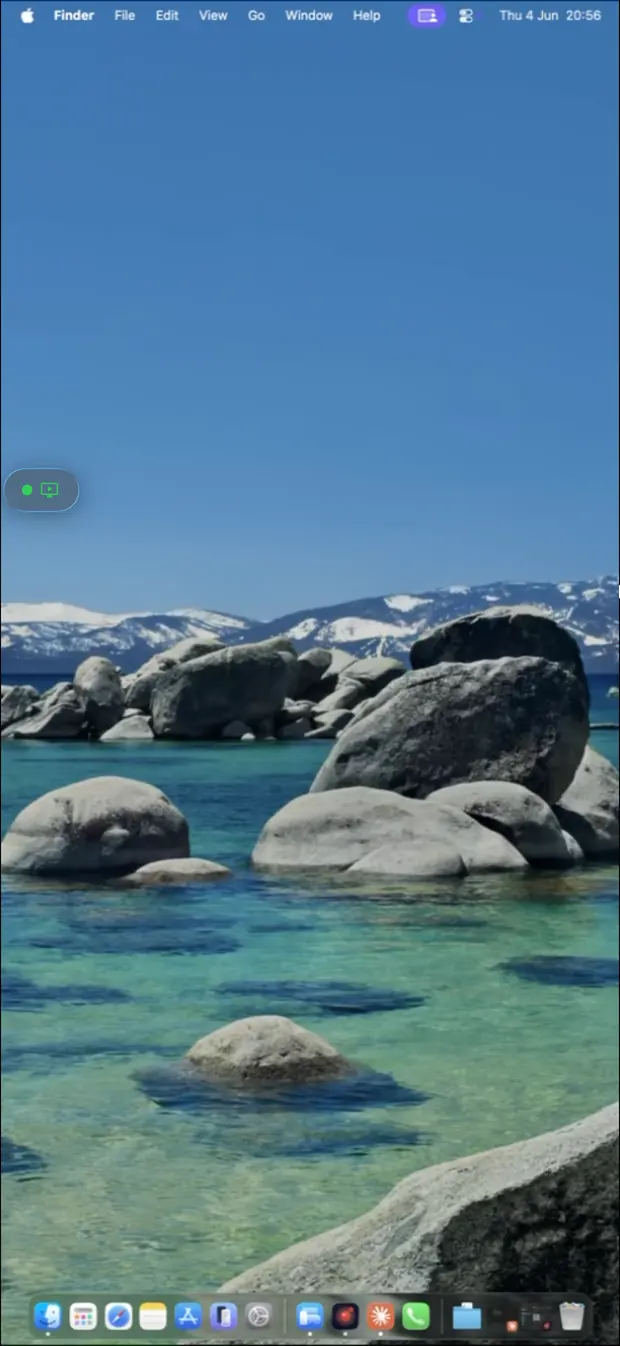
Remio streaming a Mac desktop on iPhone — no account, no Warp tier
✦The five-minute switch

How to switch in 5 minutes

No migration tools, no exported address books, no account to create. Two installs, one PIN, and an optional toggle for unattended access.

01

Install the host

On the machine you want to reach — macOS 15+ or Windows 10 (build 19041+)/11 — grab the host from the download page, launch it, and grant the screen-capture permission once. It then waits in the menu bar or system tray.

02

Install the client

On the device you connect from — iPhone or iPad (iOS/iPadOS 18+), another Mac (macOS 15+), Android (12+), a Windows 10/11 PC, or Apple Vision Pro via the iPad app — install the Remio client from the same download page.

03

Pair with the PIN

The host displays a six-digit code you can rotate anytime. Type it into the client and the devices pair instantly, encrypted end-to-end. Reconnections are instant, no code required.

04

Optional: unattended

Flip on unattended access in the host settings to connect without anyone at the remote end, and enable Wake-on-LAN to wake a sleeping machine first. The full walkthrough is in the getting-started guide.

✦Common questions

Common questions about switching from Parsec

The six questions people ask before they replace Parsec. Straight answers below.

Is Remio faster than Parsec?
On a LAN, Remio measures about 8 ms of processing at 4K (the rest is your display's own 60 Hz refresh cadence). Parsec sits in a similar range on a LAN — typically 10–14 ms — and both feel essentially identical for gaming and creative work. The differentiator is not raw speed; it is the account-free pairing model — Remio's true 4:4:4 chroma for text-grade clarity is now live — Macs and NVIDIA-powered PCs streaming to Mac and Windows, more pairs on the way, free at every tier, while Parsec gates its 4:4:4 behind paid Warp.
Does Remio require an account like Parsec does?
No. Remio uses a six-digit code to pair devices and stores no user record. Parsec requires an email account and password, and uses parsec.app as the directory for finding and joining hosts. If you do not want a corporate-owned directory in the middle of your remote session, Remio is the alternative.
How do Parsec and Remio compare on colour and image quality?
Both send 4:2:0 chroma today. Remio's true 4:4:4 mode — full per-pixel colour with no text fringing — is now live from Macs and NVIDIA PCs to Mac and Windows (more pairs on the way), free at every tier; Parsec already gates its 4:4:4 behind the paid Warp tier. Remio streams up to 6K at 120 fps, free at that ceiling.
Can I play co-op games with friends on Remio?
Not yet in the same way. Parsec's Arcade mode lets multiple remote controllers connect to one host for local multiplayer over the internet. Remio supports a single client per host today.
What platforms does Remio support compared to Parsec?
Remio ships native apps for macOS, iOS, iPadOS, Android, and Windows (Apple Vision Pro runs the iPad app), plus a Linux host (X11 and Wayland). Parsec covers Windows, macOS, Linux and Android, plus a browser client — it has no iPhone or iPad app. Parsec offers a browser client for one-off access; Remio adds iPad, Apple Pencil, and Apple Vision Pro (through the iPad app) support.
How much does Remio cost compared to Parsec?
Remio is free with no per-device cap, no resolution gate, and no commercial-use detection. Parsec's free tier limits you to a single monitor and basic colour. Warp at $9.99 per month unlocks multi-monitor, better colour, and tablet support. Teams runs $35 per user per month for SSO and admin features.
✦Other comparisons

Compare Remio to the rest of the field

Same numbers, same structure, thirteen other tools. Pick the one closest to what you already use.

Remio app icon

Try Remio for an afternoon.

Download once, pair with a PIN, see the colour and latency on your own LAN. No email, no password, no Warp tier gating 4:4:4.