Windows host shipping today · visionOS client in development

A Windows desktop, floating in your space.

visionOS has no Windows apps — but it has the best screen you own. Remio’s native visionOS client, in development on the same engine that ships on iPad and Mac, puts your PC’s full desktop on a giant virtual display you can pin anywhere in the room. The Windows half is ready now: a free host for Windows 10 and 11 — Home included — end-to-end encrypted, paired with a 4-digit PIN, no account.

Two machines, one obvious bridge

Why Vision Pro + Windows is an odd couple worth pairing

Apple’s headset and Microsoft’s operating system were never introduced to each other. That is precisely why streaming between them is so useful — each has exactly what the other lacks.

Vision Pro doesn’t run Windows — and won’t
visionOS runs visionOS and iPad apps. There is no .exe, no Steam library, no Windows-only CAD seat, no trading stack, no line-of-business app from 2014 that your whole job quietly depends on. Everything Windows lives on the PC across the room — or across the country.
The PC has the horsepower; the headset has the display
Your PC has the GPU, the storage, and the installed software. Vision Pro has a display system no monitor on your desk can match for sheer apparent size. Streaming joins the two: the PC renders and encodes in hardware, the headset decodes and floats the result in front of you.
A native visionOS client is the bridge — and it’s in development
Remio’s visionOS client is 100% native — the same Apple frameworks visionOS uses for its own apps, no web wrapper, no browser hack — built on the networking and streaming engine already shipping on iPad and Mac. Phase 01, virtual display, is the milestone in active development; the Vision Pro page tracks the roadmap and hosts the early-access waitlist.
Honest framing: this is a flat desktop in space
What streams is your flat Windows desktop inside a spatial window — full resolution, placed anywhere in the room, sized like a cinema screen. It is not an immersive VR world: apps don’t burst into 3D, and VR titles don’t stream as VR. If a giant, perfectly placed flat screen is what you need, that is exactly what this is — nothing more is claimed.
The headset half

What the native visionOS client gives you

Everything below is stated the way Remio’s Vision Pro page states it: the client is in active development, phase 01 — virtual display — is the milestone being built now, and early access opens through the waitlist. These are the commitments, with their status attached.

01
Status — in active development

A native visionOS 2.0+ app — phase 01 is the virtual display

Remio for visionOS is being built 100% native — no web wrapper, no browser hack — on the same networking and streaming engine that already ships on iPad and Mac, targeting visionOS 2.0 and later. Phase 01 is the virtual display: your desktop as a single floating screen at full resolution and full fidelity. Multi-display spatial workspaces are phase 02, planned; richer gesture control and spatial UI elements follow on the roadmap.

One engine across devices — the visionOS client inherits the streaming stack the iPad and Mac apps run today
Early access via waitlist — sign up on the Vision Pro page; no vaporware promises, just the published roadmap
02
Window behavior

A spatial window you place anywhere — and it stays put

Park the desktop at eye level above your actual desk, against the far wall, or floating mid-air over the couch. Anchor mode keeps the workspace exactly where you placed it — or lets it follow you. Scale runs from laptop-sized to the 100-inch-class virtual screen the gaming use case describes. In phase 02, each monitor on the host streams into its own independently resizable, positionable spatial pane.

03
Input

Eyes and hands first — keyboard and trackpad for real work

Your gaze maps to cursor hover on the remote PC, and a pinch is forwarded as a click — natural visionOS gestures, no controllers required. Eye-tracking data stays on-device; only the resolved cursor coordinates are sent to the host. When it’s time to type, a Bluetooth keyboard and trackpad paired through visionOS’s standard pairing drive the Windows desktop like a laptop.

04
Stream quality

H.265 at 4K 60 fps — sub-5 ms on a local network

The spatial spec is the one the Vision Pro page commits to: hardware-accelerated H.265 at 4K 60 fps with single-digit-millisecond encode overhead, and sub-5 ms latency over a local network on a direct device-to-device connection — the glass-to-glass numbers that keep a spatial session feeling like the real machine, not a video feed. The Windows host itself streams up to 4K 120 fps with 4:4:4 chroma when the hardware allows, so the pipeline has headroom to spare.

The PC half — shipping now

The Windows side

No hedging needed here. The host is the same one running on Windows PCs today — native, measured, documented, and free. Install it now and the PC is ready before the headset build is.

01
Runs on Home, by design

A native host for Windows 10 and 11 — Home editions included

The Remio host is a native Windows app built with C++/WinRT, and it runs on Windows 10 (build 19041+) and Windows 11 — Home editions included. It never touches RDP or anything Microsoft reserved for Pro, so there is no edition check and no $99 upgrade standing between your PC and the headset. The full story lives on the Windows 11 Home page.

02
Hardware encoding

H.265, H.264, and AV1 — on whatever GPU is in the box

The host uses the hardware video encoder on NVIDIA, AMD, or Intel — no vendor allow-list, no GPU you have to buy. The same silicon that renders your game or your timeline encodes the stream, which is why the desktop arrives at the client with single-digit-millisecond encode overhead instead of a CPU fan screaming.

03
No account — of any kind

Pair with a 4-digit one-time PIN — valid for 60 seconds

The host shows a 4-digit one-time PIN with a 60-second window; type it into the client once and the devices exchange keys and remember each other. No Microsoft account, no Remio account, no email, no password. There is no central user database to breach, because there are no users to store.

04
End-to-end encrypted

AES-256-GCM with ECDHE-Curve25519 key exchange

Sessions are encrypted end-to-end with AES-256-GCM, and keys are negotiated directly between your devices over ECDHE on Curve25519. Keys never leave the endpoints — when a strict NAT forces a relay, it forwards ciphertext it cannot read. A workspace strapped to your face is a private space; the security page documents the full model.

05
Measured, not marketed

Sub-5 ms LAN · 22 ms WAN same-region — verified May 2026

On the same network, input-to-pixel latency measures under 5 ms; across the internet within the same region, typical sessions measure 22 ms. Both figures were last verified in May 2026. Audio streams in sync with video, and multi-monitor hosts are fully supported — today on desktop and mobile clients, and as spatial panes in phase 02 of the visionOS roadmap.

06
Completely free

Every feature, every platform — $0

Remio is completely free, and every feature ships in the one build everyone gets: unattended access, multi-monitor, audio, Wake-on-LAN, 4K streaming, end-to-end encryption. No feature gate, no trial clock, no card. The headset was expensive enough.

The question everyone asks first

Games, honestly

Yes — with the same scope Remio claims everywhere else: hardware-encoded flat-screen streaming from your own GPU, at the frame rates measured on the shipping clients. Here is what that means on a headset, stated straight.

01 · A giant flat screen, not a VR rig

Your games render flat — VR titles don’t stream as VR

What lands in the headset is your desktop on a 100-inch-class virtual screen — the same flat image a monitor would show, at cinema scale, from the couch. Cyberpunk gets enormous; it does not become stereoscopic. There is no SteamVR pass-through and no immersive-title streaming, and Remio doesn’t claim otherwise. Flat-screen streaming is the whole, honest pitch.

02 · The numbers, from shipping clients

144 fps competitive, 60–90 fps 4K HDR AAA

On the same engine’s shipping iPad and Mac clients, competitive shooters measure 144 fps at 1440p and AAA titles run 60 to 90 fps in 4K HDR, with a ceiling of 4K at 120 fps — hardware-encoded H.265 and AV1, measured as five-minute medians in real sessions. The visionOS client inherits this pipeline; the published figures live on the gaming page.

03 · Controllers ride along

MFi controllers forward as host gamepad input

The Vision Pro plan mirrors what the shipping clients do today: pair a controller to the client and Remio replays it on the host as a native gamepad — no mouse-emulation layer. On iPad and Mac that path already carries MFi controllers, Xbox Wireless, and DualSense with rumble, gyro, and adaptive triggers intact; on Vision Pro, MFi controllers paired to the headset forward as host gamepad input.

04 · Your launchers, unmodified

Whole-desktop streaming — Steam, Epic, GOG, Battle.net

Remio streams the entire desktop session, so launchers behave exactly as they do at the PC — no per-game allowlist, no separate streaming service to register. Kernel-level anti-cheat sees a normal session, because nothing is virtualized. And it is your GPU doing the rendering — NVIDIA, AMD, or Intel — not a cloud vendor’s queue.

From box to floating desktop

Set it up in five minutes

The Windows half takes five minutes today. The headset half is one waitlist signup — and zero extra configuration when the visionOS build reaches you.

Step 01 · Install the Remio host on the Windows PC
On the Windows 10 (build 19041+) or Windows 11 PC — Home editions included — download the Remio host from the download page and run the installer. Accept the one-time Windows Defender Firewall prompt when it appears. The host sits in the system tray; no Microsoft account, no Pro upgrade, no registry edits.
Step 02 · Get Remio on the Vision Pro
The native visionOS client is in active development — phase 01, virtual display, is the first milestone. Join the waitlist on the Vision Pro page to be notified the moment the build is ready for early access. Your host needs nothing extra: it already streams to Remio’s iPhone, iPad, Mac, Android, and Windows clients today, and the headset pairs the same way when its build arrives.
Step 03 · Pair with the 4-digit PIN
The host displays a 4-digit one-time PIN, valid for a 60-second window. Type it into the client; the devices exchange encryption keys over ECDHE-Curve25519 and remember each other. No email, no password, no profile — reconnections from then on are instant.
Step 04 · Connect
Select the PC in the client’s device list and the full Windows desktop appears — audio in sync, multi-monitor supported, end-to-end encrypted with AES-256-GCM. How the connection finds its path — peer-to-peer first, encrypted relay only when a strict NAT forces it — is explained on the how-it-works page.
Optional · Wake-on-LAN and unattended access
Flip on unattended access in the host settings to connect without anyone clicking Accept at the PC, and enable Wake-on-LAN to wake the machine from sleep before you connect. Both are included — free, like everything else.
An honest sizing guide

Vision Pro vs a desk full of monitors

A headset is not automatically better than three 27-inch panels — it is better at different things. Here is the fair version of the comparison.

Where the headset wins: space and travel
A hotel room, an airplane seat, a studio apartment with no desk to spare — Vision Pro conjures a cinema-sized screen with zero physical footprint, and your PC’s full horsepower follows you over an end-to-end-encrypted link. The trading-desk-in-a-bag idea is the sharpest version of this: charts at full size, anywhere, with the multi-window spatial layout arriving in phase 02 of the visionOS roadmap.
Where the desk wins: the all-day grind
Physical monitors weigh nothing on your face, never need charging, and let a colleague lean over and point at your screen. For an eight-hour CAD shift or a full trading session, a desk of panels remains the comfortable default — and the same Remio host serves that setup too, streaming to Mac, iPad, Android, and Windows clients today.
The honest read: have both for free
If you have the desk, keep the desk. The headset earns its place when space, travel, or sheer screen size is the constraint. Because the host is completely free, there is no cost to being ready for both — and if your other machine is a Mac, the Vision Pro page tells that side of the story.
Common questions

Common questions about Windows on Vision Pro

Five questions this pairing raises — answered the way the rest of the site answers them, hedges included.

Not yet — the native visionOS client is in active development. Phase 01, virtual display, is the first milestone, and early access opens through the waitlist on the Vision Pro page. The client is 100% native — built with the same Apple frameworks visionOS uses for its own apps, on the same engine that already ships on iPad and Mac — and it targets visionOS 2.0 or later. What you can install today is the free Windows host, so your PC is ready the day the headset build arrives.
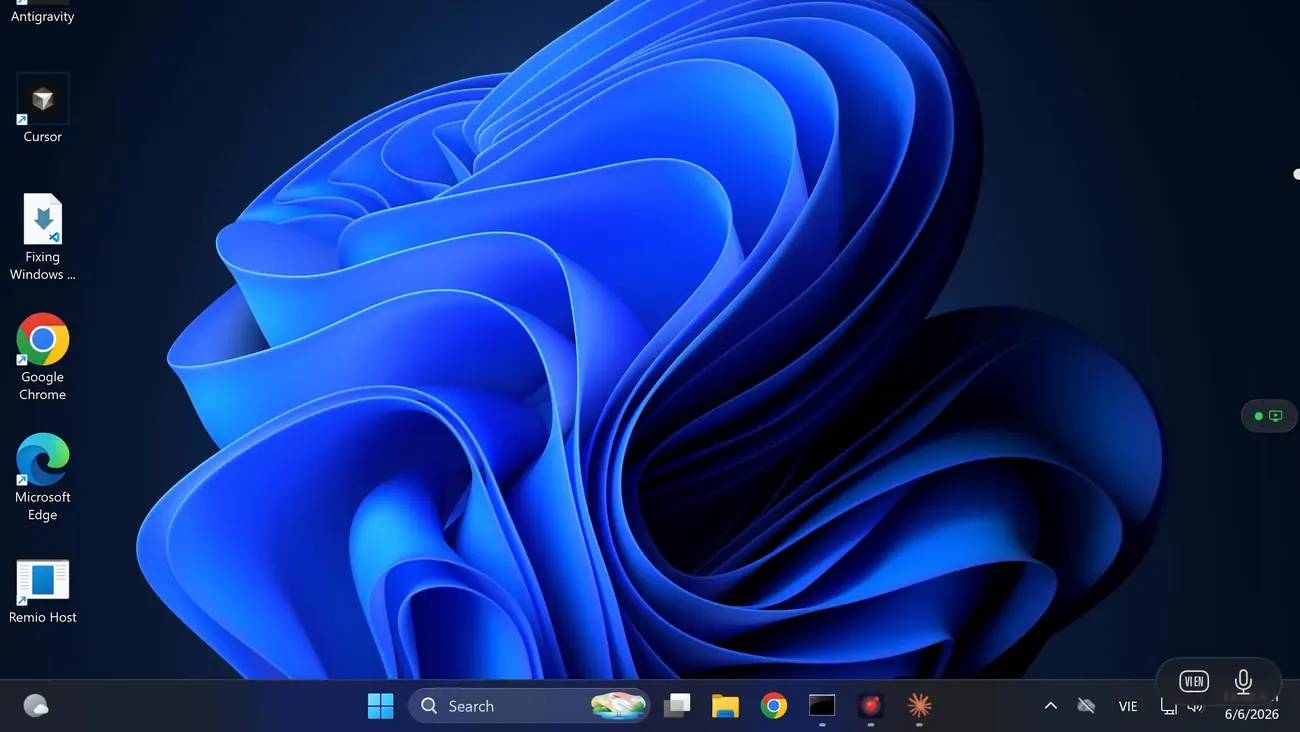
As flat-screen streaming, yes — that is the design. The host GPU encodes the stream in hardware (H.265, H.264, or AV1 on NVIDIA, AMD, and Intel), and on the shipping iPad and Mac clients the same engine measures 144 fps in competitive shooters at 1440p and 60 to 90 fps in 4K HDR AAA titles, with a ceiling of 4K at 120 fps. On Vision Pro that desktop lands on a giant virtual screen — the 100-inch-class display the Vision Pro page describes. What it is not: VR streaming. VR titles do not stream as VR — there is no SteamVR or stereoscopic pass-through. Your games render flat, exactly as they do on a monitor.
No to both. The Remio host is its own native app, so it runs on Windows 10 (build 19041 and later) and Windows 11 — Home editions included — with no Pro upgrade and no RDP involved. And Remio requires no account of any kind: no Microsoft account, no email, no password. Devices pair with a 4-digit one-time PIN shown on the host, valid for a 60-second window, and session keys are negotiated directly between your devices.
The Vision Pro page states the target plainly: your desktop as a single floating screen at full resolution, in a spatial window you can place anywhere in the room — and its gaming use case puts PC games on a 100-inch virtual screen. Cinema-sized, in practice, limited by where you put it rather than by a panel. Multiple spatial windows — one per host monitor — are phase 02 of the visionOS roadmap.
Completely free — every feature, on every platform. Unattended access, multi-monitor, audio, Wake-on-LAN, 4K streaming, and end-to-end encryption all ship in the one build everyone gets. Nothing is held back, nothing expires, and there is no card to enter — true for the Windows host today and for the visionOS client when it arrives.
Free, all features · no account · no card

The biggest screen your PC will ever drive.

Install the free host on your Windows PC today and join the waitlist for the visionOS client. When the headset build lands, pairing is one 4-digit PIN — no account, no open ports, nothing to configure twice. Until then, the same host already streams to your iPhone, iPad, Mac, Android, and Windows devices.

Host on Windows 10 (build 19041+) and Windows 11, Home editions included. The native visionOS client is in development — clients ship today on iOS, iPadOS, macOS, Android, and Windows.