Remio 3.0 is the biggest update we have ever shipped. It lands on every app at once - iPhone, iPad, Mac, Android, Windows and Apple TV, plus the macOS, Windows, Linux (X11 and Wayland), Raspberry Pi, FreeBSD and Android hosts - and it turns the device in your hand into a real command center for the computer you left at home. Here is everything that is new, and what comes next.
At a glance
| What's new | Where | Plan |
|---|---|---|
| Virtual displays on demand | All clients · macOS, Windows, Linux hosts | Pro |
| Gamepad + gamepad builder | iPhone, iPad, Android, Mac, Windows | Gamepad free · builder Pro |
| Files in both directions | Every client and host | Send free · receive Pro |
| Control Board & Split Keyboard | iPhone, iPad, Android | Board free · Split Keyboard Pro |
| Blank the screen · lock the computer | Every client | Free |
| Choose the computer's speaker | Every client | Pro |
| Devices page, activity log, expiring PINs | Every host | Free |
| Eight languages | Every app | Free |
The Pro mark shows what is part of Remio Pro - now $1.99 a month, with a 7-day free trial. Read the announcement.
Extra screens, on demand
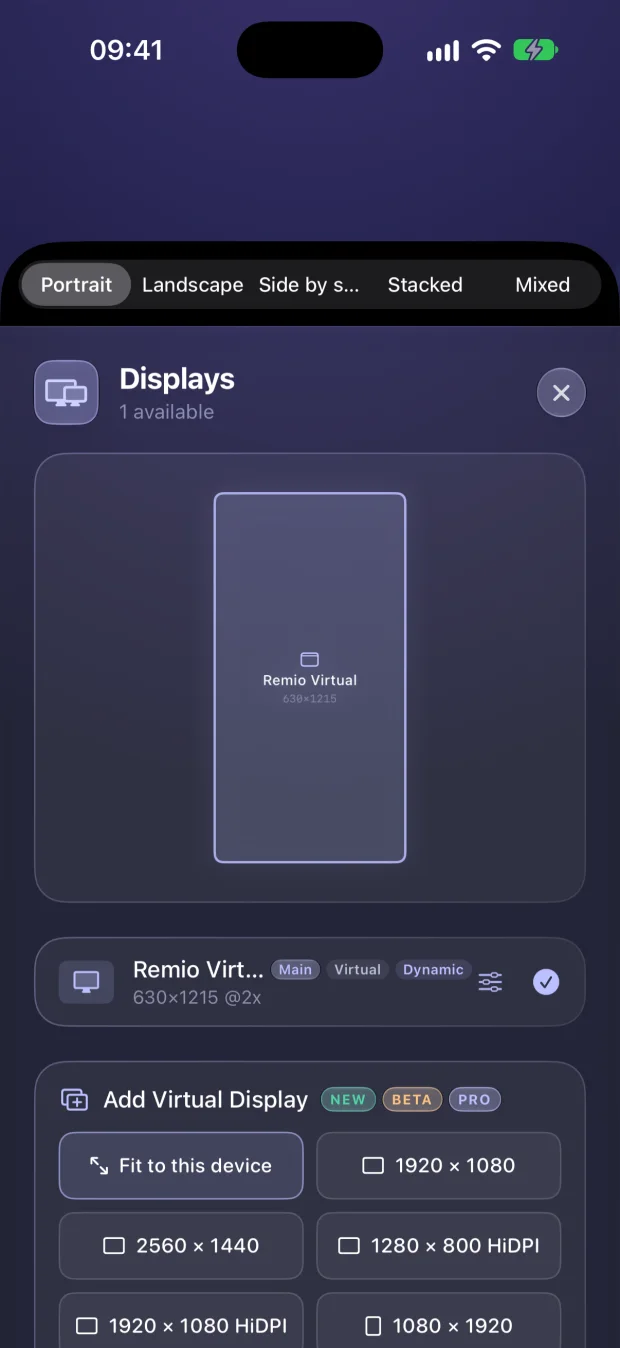
Remio has always built one perfect display shaped like the device in your hand. In 3.0 you can add more: virtual displays that exist only for Remio. Pick a standard size, type your own, or choose Dynamic so the display re-shapes itself to whatever is looking at it. Name them, place them above, below, left or right of the main screen, switch on HiDPI for sharper text - and when you disconnect, every one of them disappears. Your computer is left exactly as it was, and you never need an HDMI dummy plug.
A gamepad you design
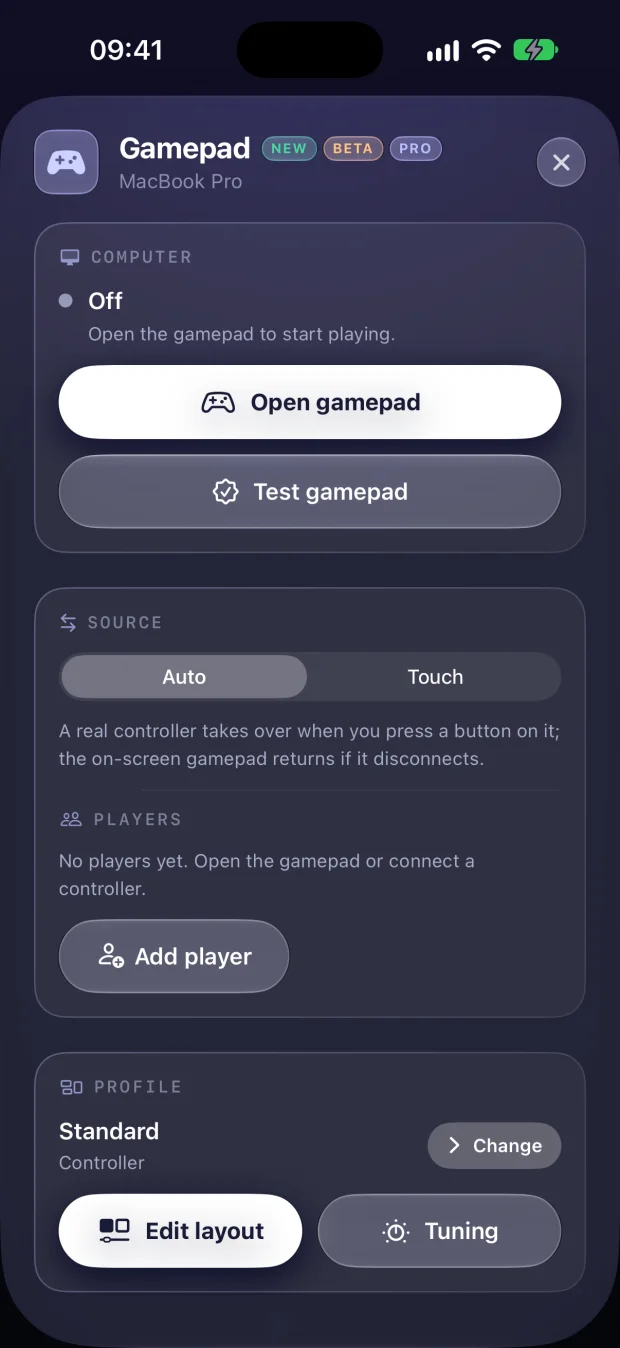
Lay a touch gamepad over the picture, or connect a real controller, and hand off between touch and a controller mid-game. On Windows and Linux hosts your computer sees up to four players as genuine Xbox 360 or DualShock 4 controllers, each in its own slot, with rumble coming back to your hands; on a Mac host a controller is mapped to keys and mouse - one player, no rumble. Anywhere, each control can send a key or a mouse click instead.
Then make it yours. The gamepad builder lets you move, resize, recolour and relabel every button and stick, tune dead zones, curves, sensitivity, rumble and gyro aiming, and save it as a profile. Assign a profile to a game and Remio switches to it the moment that game comes to the front. Profiles export and import across iPhone, iPad and Android.
Files, both ways
Until now files only travelled from your device to the computer. In 3.0 the computer can send them back. Send as many as you like at once - they queue up and you can keep adding while they go. Interrupted transfers pick up where they left off, a file arriving while the computer is locked waits for you instead of writing to an unattended disk, and every transfer stays in a history you can re-open or re-send with one tap.
Every control, one tap away
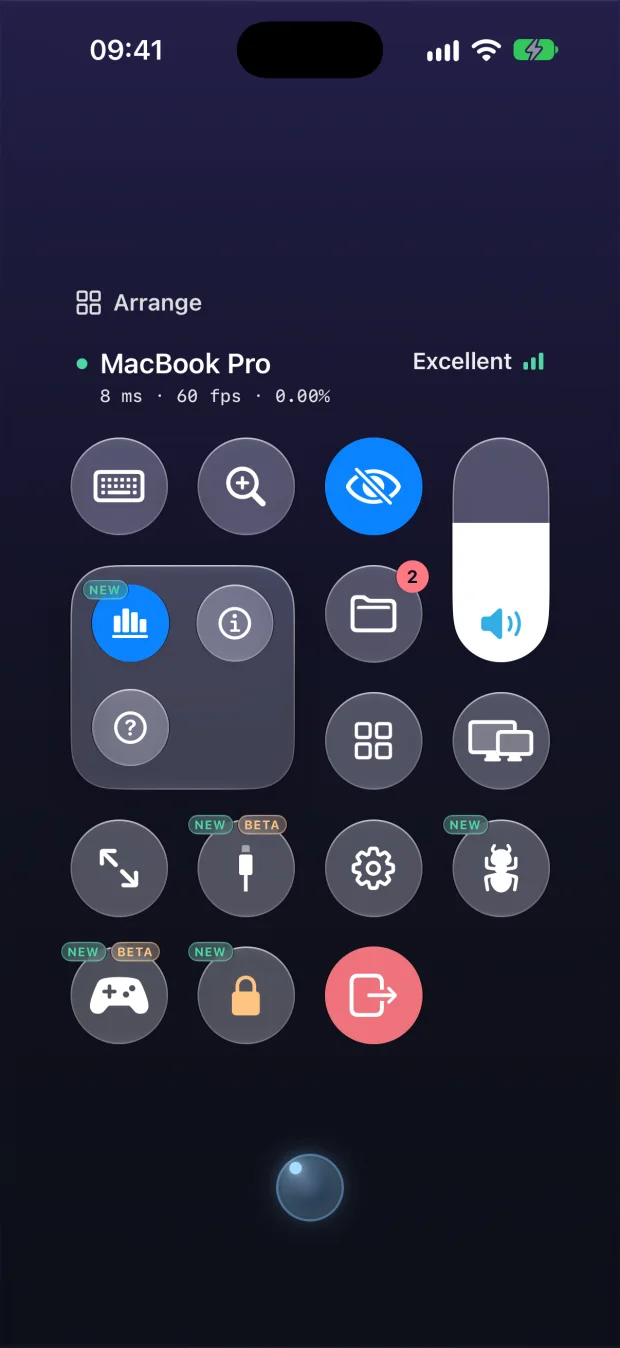
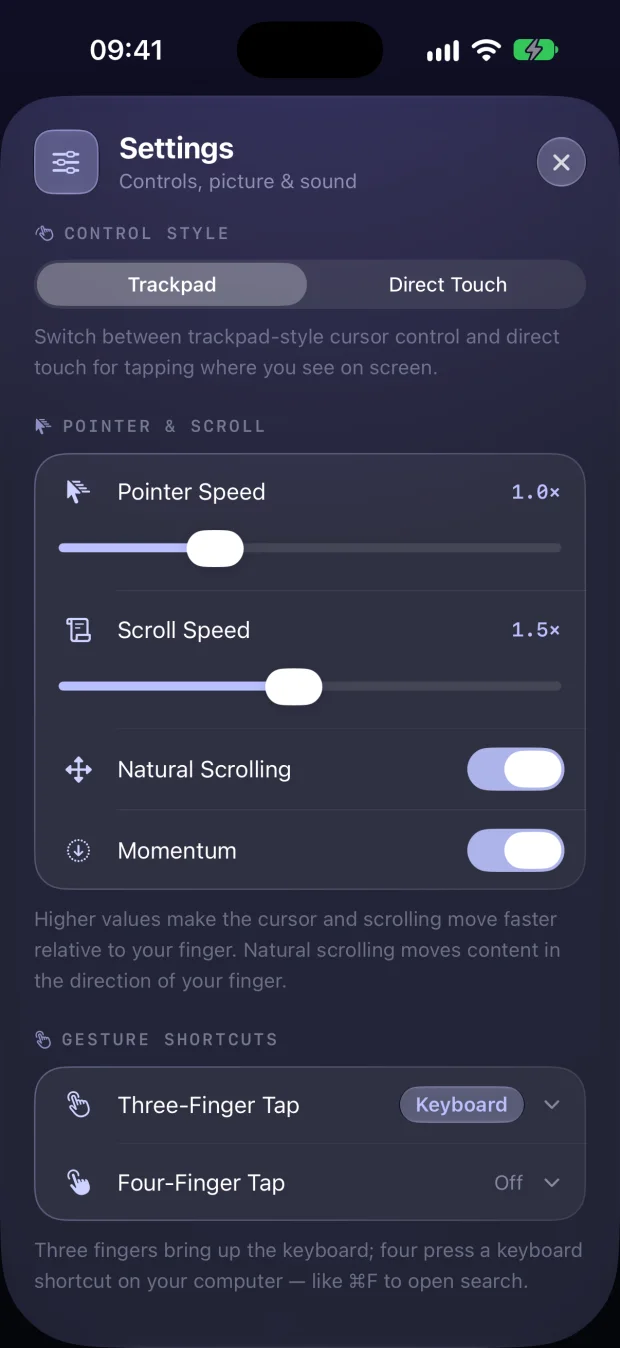
Tap the Remio button and the new Control Board puts everything you reach for mid-session on one sheet: keyboard, zoom, volume, files, apps, displays and settings. Hold Arrange and drag anything to where your thumb actually is - Remio remembers the layout on each device. On Mac and Windows the session toolbar is now fully customizable too.
On iPhone, Split Keyboard keeps the keyboard as part of the layout and gives your computer the space above it, so you can watch and type at the same time.
Blank it, lock it, read the numbers
- Blank the computer's screen while you work on it, so nobody standing next to it can read along.
- Lock the computer from your phone with one tap - you stay connected and can sign back in.
- Live numbers - frame rate, latency and connection quality in a corner, plus a verdict in plain words: crystal clear, smooth and responsive, or worth lowering the quality.
- Pick the speaker your computer plays through, or silence it while you listen here.
- Report a problem without leaving the session - the report carries the session's own numbers and an optional screenshot or recording.
Smarter hosts
Remio Host has a new window on every platform, with pages for Connect, File sharing, Devices, Permissions and Settings. The Devices page shows how every device got access - paired with a PIN, or trusted through your account - and lets you rename it, block it from this computer or remove it from your account. A 30-day activity log records pairings, wrong PINs, takeovers and revocations. The PIN now changes every five minutes, and five wrong guesses replace it at once. If a host ever crashes, it restarts itself.
Apple TV, all grown up
The Apple TV app now carries the full session bar - switch screens, set the resolution, open apps, blank or lock the computer - plus Picture in Picture, virtual screens sized for the TV, and a way to wake a sleeping computer right from the couch.
Remio speaks your language
Every panel and every message now comes in English, Tiếng Việt, 简体中文, हिन्दी, Deutsch, Português (Brasil), Français and 日本語 - and you can pick Remio's language independently of your device.
Now available: Remio Pro
Remio is free, and everything that was free before Remio Pro stays free - no time limit, no account and no commercial-use detection. Remio Pro is the optional subscription for people who live in their remote desktop - $1.99 a month, with a 7-day free trial:
- Files in both directions, on any connection - even relayed ones
- Extra virtual displays for your computer
- The gamepad builder with per-game profiles
- Choosing which speaker your computer plays through
- Split Keyboard on your phone
- USB devices from your Mac, on the Mac you control
- Then, as it ships: session recording - mouse lock for first-person games has already arrived, and guest links (free for everyone) came with Remio 3.6
Remio Pro is sold inside the app on iPhone, iPad, Mac and Android - and one subscription follows your Remio account to every device, Windows included. Read the Remio Pro announcement.
How to get it
The App Store and Google Play deliver 3.0 automatically. Update your Remio Host from the app, through the Windows updater or winget, or from the download page for Linux, Raspberry Pi and FreeBSD. Every change, platform by platform, is in the changelog.
