Remio Pro goes on sale today, right inside the Remio app on iPhone, iPad, Mac and Android. It is one plan — $1.99 a month, with a 7-day free trial — and it follows your Remio account to every device where you sign in, Windows included. Everything that was free before Remio Pro stays free, forever: no time limit, no device limit, no commercial-use detection.
At a glance
| With Remio Pro | What it does |
|---|---|
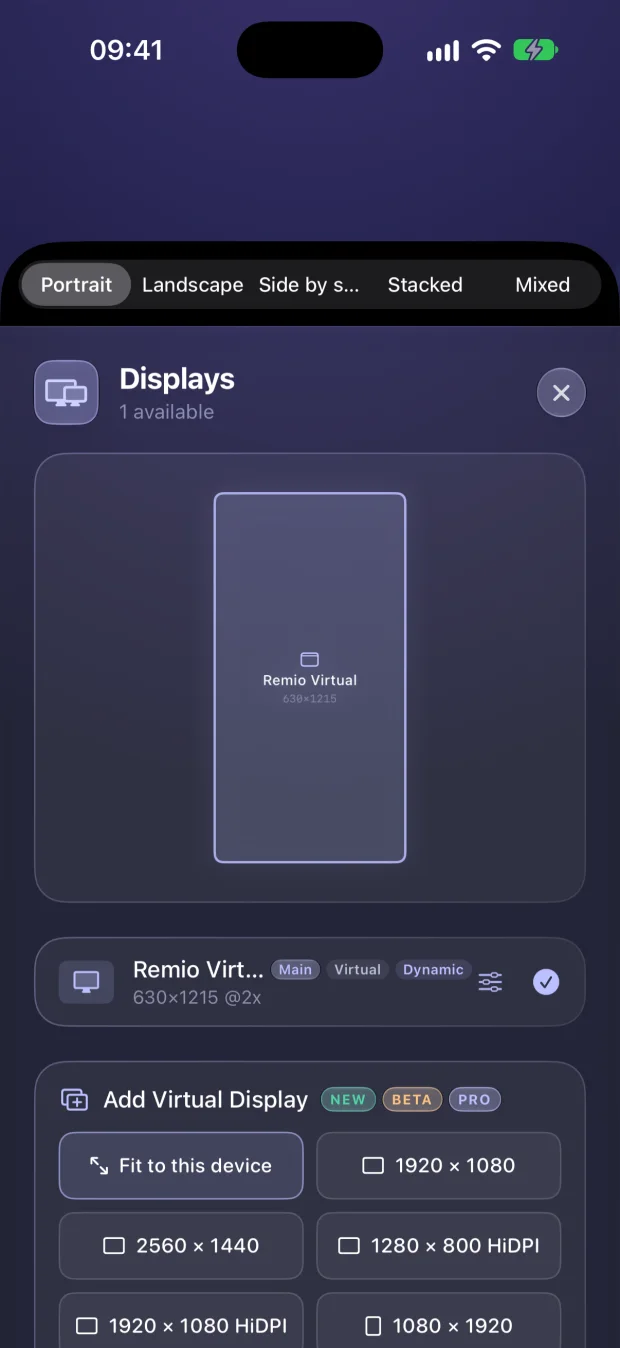
| Extra virtual displays | Screens that exist only for Remio — any size, HiDPI, or fitted to the device in your hand |
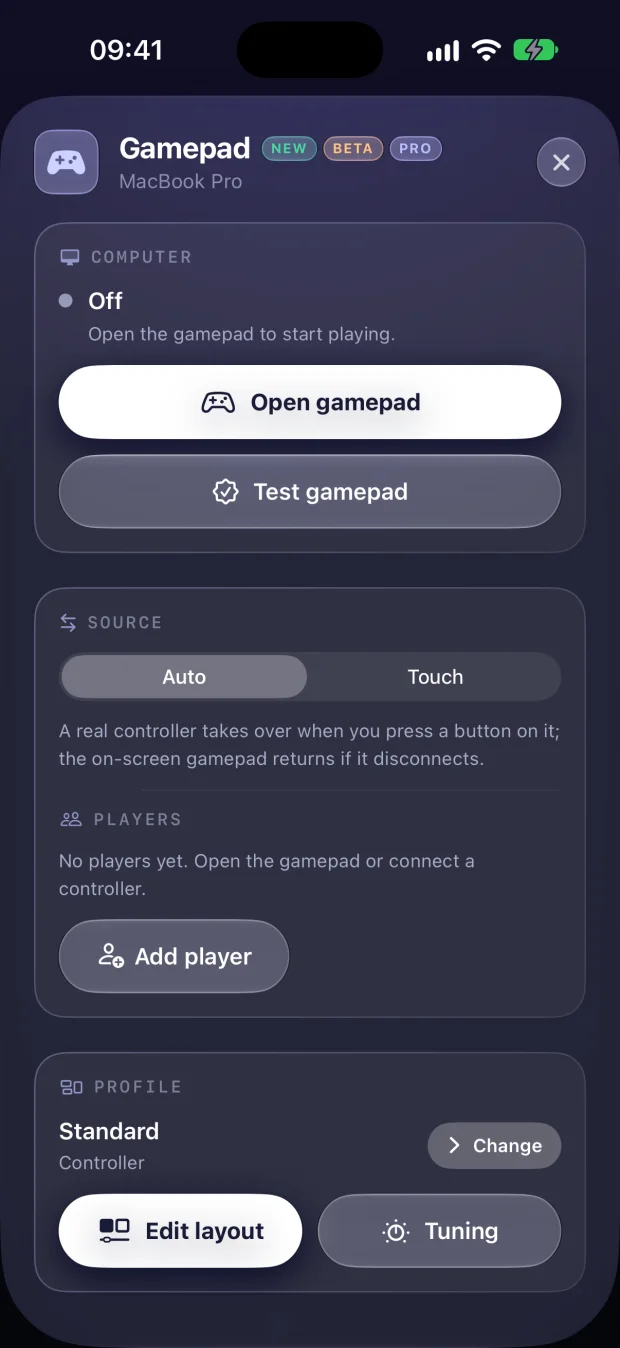
| Your gamepad, per game | Remap every control, tune the feel and save a profile that switches with the game |
| Files, both ways | Your computer sends files back to you — on any connection, even relayed |
| Your speaker, your call | Choose which output your computer plays through, or silence it |
| Split Keyboard | On your phone, the keyboard and your computer share the screen |
| USB, Mac to Mac | Wheels, pedals and flight sticks plugged into your Mac work on the Mac you control |
Extra screens, on demand
Remio has always built one perfect display shaped like the device in your hand — that stays free. With Pro you can add more: virtual displays that exist only for Remio. Pick a standard size, type your own, or choose Dynamic so the display follows whatever device is looking at it. Name them, place them left, right, above or below the main screen, switch on HiDPI for sharper text — and when you disconnect, every one of them is removed and your computer is left exactly as it was.
A gamepad that is yours
The touch gamepad and real controllers stay free: on a Windows or Linux computer, up to four players show up as real Xbox 360 or DualShock 4 controllers, and on a Mac a controller plays as keys and mouse. Pro adds the builder: remap every button and stick, tune dead zones, curves, sensitivity and gyro aiming, and save it as a profile. Assign a profile to a game and Remio switches to it the moment that game comes to the front.
Files, both ways — on any connection
Sending files from your device to your computer stays free. With Pro, your computer sends them back to you, and transfers keep working when your connection runs through the encrypted relay — on hotel Wi-Fi, a strict office network or 5G. Interrupted transfers pick up where they left off, and every file stays one tap away in your history.
Your speaker, your call
Choose which output your computer plays through — its own speakers, a display, headphones — or silence it entirely while you listen on the device in your hand.
Split Keyboard
On your phone, the keyboard becomes part of the layout instead of covering it: your computer gets the space above, so you watch and type at the same time.
USB gear, Mac to Mac
Plug a steering wheel, pedals, a flight stick or another USB controller into your Mac, and the Mac you control sees it as if it were plugged in there — button layout, axes and all. Your Mac keeps using it too, so nothing has to be unplugged.
In the works — included when they ship
Your subscription also covers what we are building next, at no extra cost, the day each one ships:
- USB devices from your Android phone or tablet, and on Windows and Linux hosts
Since this was first published, full mouse control for first-person games has shipped in Remio 3.3 — it is part of Remio Pro.
What stays free
Everything that was free before Remio Pro stays free, forever: up to 6K at 120 FPS, about 8 ms of processing latency on LAN (the rest is your display's own refresh), end-to-end encryption, a display shaped to your device, the touch gamepad and real controllers, sending files to your computer, system audio, clipboard sync, the Control Board, blank and lock, lid-closed streaming and remote unlock — on as many computers and devices as you like, with no account.
One price, every device
Remote desktop subscriptions usually cost $10–30 a month, often per seat. Remio Pro is $1.99 a month for your whole account: buy it once on your iPhone, iPad, Mac or Android device and it works everywhere you sign in, Windows included. No tiers, no per-device fees, no yearly lock-in.
If you used PRO features in Remio 3.0
While Remio Pro was on its way, Remio 3.0 let everyone use the features marked PRO — and every PRO label said they might need Pro later. Now they are part of Remio Pro. Start the 7-day free trial to keep using them; the free app keeps everything it had before Remio Pro.
How to get it
Update Remio from the App Store or Google Play, sign in with Apple, Google or email, then open Settings › Remio Pro and start your free trial. Cancel anytime from your App Store or Google Play subscriptions — Pro stays on until the end of the period you paid for. The full details are on the pricing page.
