Parsec alternative · everything included · $0

Tired of the Warp paywall? The alternative where everything is included.

Remio includes what Parsec gates behind Warp — a virtual display sized to your device, 4K streaming at 60 FPS — completely free, with no account to create. Native apps on Mac, Windows, iPhone, iPad, Android, and Apple Vision Pro, end-to-end encrypted, paired with a six-digit code in about thirty seconds.

Why people switch

Why people look for a Parsec alternative

Parsec earned its reputation. It made low-latency desktop streaming mainstream, and its Arcade co-op mode is still unmatched. The reasons people go looking for a replacement are narrower than "Parsec is bad" — they are five specific frictions that add up.

01
The account requirement

An account is required — even for two machines on the same desk

Parsec requires an email address and a password before any connection happens, including between two computers on the same LAN. The parsec.app directory brokers which hosts you can see and join, so a credential database sits between you and your own hardware. For many people that is a reasonable trade. For people who stream to a machine three feet away — or who simply do not want another login to manage — it is the first thing they look to remove.

02
The Warp paywall

4:4:4 color and virtual displays cost $9.99 a month

Parsec's free tier streams 4:2:0 chroma — fine for fast-moving game footage, visibly soft on text, code, and UI edges. Full 4:4:4 color and virtual displays are part of Warp at $9.99 per month. If you remote into a machine to work — not only to play — the features that make text readable are exactly the ones behind the subscription.

03
Teams pricing

Teams runs $35 per user per month

Parsec for Teams — the tier with SSO, admin controls, and audit features — is priced at $35 per user per month. For an enterprise that needs those controls, that can be money well spent. For a small studio or a freelancer with three machines, it is a meaningful line item for what is, at its core, pixel transport.

04
The Unity question

Development pace since the 2021 Unity acquisition

Parsec has been part of Unity Technologies since 2021. How quickly a consumer product evolves inside a large parent company — and where the roadmap's center of gravity sits between individual users and enterprise customers — is a fair question to weigh before betting a daily workflow on it. It is one of the most common reasons people start comparison shopping.

05
The Mac client

An aging, non-native Mac client

Parsec grew up on Windows, and it shows on the Mac. The macOS app is a cross-platform client rather than a native Mac citizen, and host-side features have historically landed on Windows first. If your host or your couch machine is a Mac — or you want to stream a Mac to an iPad — this is where the search for a "Parsec alternative for Mac" usually begins.

The replacement checklist

What to look for in a replacement

Whatever you switch to should remove the frictions above without giving up the speed that made Parsec good in the first place. Six things to check before you commit.

Latency you can measure
Marketing pages say "low latency"; your hands know the truth in five minutes. A credible replacement publishes its numbers — glass-to-glass, on a stated network — and feels indistinguishable from local on a wired LAN. Test with the game or app you actually use, not a demo loop.
A real virtual display, not a paywall
A squeezed copy of the host's monitor crammed into your window is worse than no display at all. The best replacements give you a display sized to your device, not the host's — and don't charge extra for it.
Controller and Apple Pencil support
A gamepad paired to the client should arrive at the host with its buttons mapped straight to the game, not fumbling emulated mouse input. If you draw, Apple Pencil should at least point, tap, and scroll reliably — the same test applied to a stylus.
Native clients, not ports
A native app respects the platform's decoder, display pipeline, and battery. On a Mac or iPad that means the difference between a stream that holds the panel's refresh rate and one that fights the OS for frame budget.
No account
Pairing two devices you own should not require an email, a password, or a directory service in the middle. Fewer credentials means less to leak, less to manage, and nothing to sunset if the vendor changes course.
Free without a personal-use asterisk
"Free for personal use" tends to come with commercial-use detection, nag screens, or feature gates that appear after you depend on the tool. Free should mean every feature, every platform, any use.
Everything included

Everything included, nothing gated.

Remio is completely free — every feature, every platform. There is no Warp-style tier above you, no seat license, and no account between your devices. 4K streaming at up to 60 FPS set by your host's encoder, and a dedicated virtual display sized exactly to your device — all free. True 4:4:4 color for razor-sharp text is now live from NVIDIA PCs to Mac (more pairs on the way).

Play with your controller — buttons map straight to your games. Point, tap, and scroll with Apple Pencil.

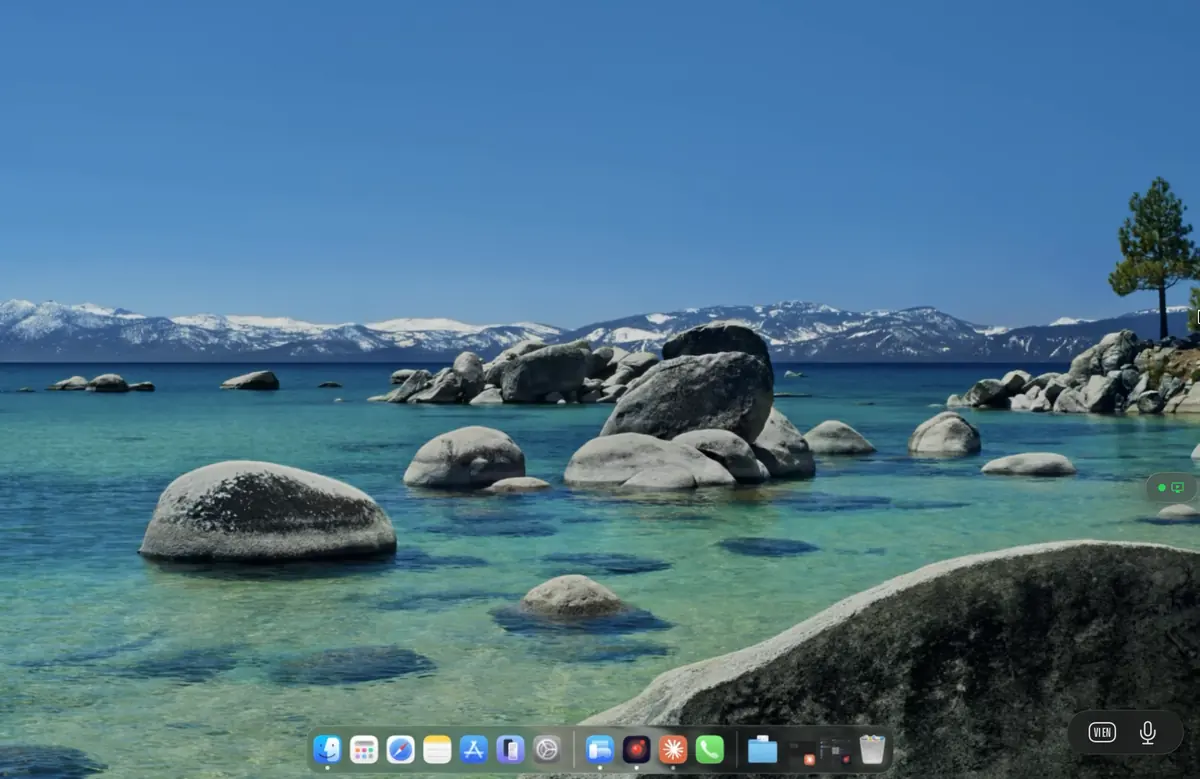
Remio streaming a desktop at 4K on a Mac — no Warp paywall
Point by point

Remio: everything included, nothing gated

No Warp-style tier above you, no seat license, no account between your devices. Here is what that covers, point by point.

01
Color and resolution

4K at 60 FPS, free — with 4:4:4 color live on NVIDIA PC → Mac

Remio streams a buttery 4K at up to 60 FPS, set by your host's hardware encoder, not by a pricing page. A dedicated virtual display — sized exactly to your device, not a squeezed copy of the host's monitor — is included too, at no charge. True 4:4:4 color for razor-sharp text is now live from NVIDIA PCs to Mac (more pairs on the way).

02
Controllers and Apple Pencil

Play with a controller, point with Apple Pencil

Pair an MFi controller, an Xbox Wireless Controller, or a PS5 DualSense to the device you are playing from, and Remio forwards it to the host — buttons map straight to your games. On iPad, Apple Pencil works as a precise pointer: point, tap, and scroll.

03
No account, end-to-end encrypted

A six-digit code instead of a login

There is no Remio account to create — no email, no password, no central directory of your machines. Devices pair with a six-digit code you can rotate anytime, and the pairing record lives on the devices themselves. Every session is end-to-end encrypted — your screen never touches our servers, and even the relay only sees ciphertext.

04
Speed you can check

About 8 ms of processing latency on LAN — measured internally

On a wired LAN, the processing pipeline — capture, hardware encode, the LAN hop, hardware decode — costs about 8 ms; the rest is your display's own 60 Hz refresh cadence, so your input lands before the next frame draws. Across the public internet within the same region, low double-digit milliseconds. Both figures are Remio's own measurements, measured internally. The pipeline uses hardware codecs end to end — H.265, with H.264 fallback, on NVIDIA, AMD, Intel, and Apple Silicon — with no software fallback eating frame budget. The gaming page shows per-title frame rates measured on the wire.

05
Native everywhere

100% native apps on every platform

SwiftUI on Apple platforms, Jetpack Compose on Android, C++/WinRT on Windows — no Electron, no shared cross-platform shell. Hosts run on macOS 15+ and Windows 10 (build 19041+) and Windows 11. Clients run on iOS and iPadOS 18+, macOS 15+, Android 12+, Windows 10/11; on Apple Vision Pro, the iPad app runs today (native visionOS client in development).

At a glance

Parsec vs Remio at a glance

The short version, on the axes that drive the switch.

CapabilityRemioParsec
Price for the full feature set$0 — every feature includedWarp $9.99/month; Teams $35/user/month
Account requiredNo — six-digit codeYes, including LAN-only use
Virtual displaysIncluded, freeWarp tier
LAN latency~8 ms processing (measured internally)Publishes sub-20 ms class figures
Client stackNative — SwiftUI · Jetpack Compose · C++/WinRTCross-platform client shared across OSes
Gaming features4K up to 60 FPS · MFi/Xbox/DualSense button mapping60 fps on free tier · Arcade co-op mode
EncryptionEnd-to-end encrypted, relay sees ciphertext onlyAES-256 in transit
PlatformsMac, Windows, Linux (host), iPhone, iPad, Android, visionOSWindows, macOS, Linux, Android, iOS, web — no visionOS
Honest alternatives

Other alternatives worth considering

Remio is not the only credible way out. Depending on what you stream and how much you like configuring things, one of these may fit better.

01
Open-source game streaming

Moonlight + Sunshine — the tinkerer's pick

The open-source pairing of a Moonlight client with a Sunshine host is excellent for pure game streaming — high frame rates, active community, full control. It asks more setup of you than Parsec or Remio, and it is not built around general-purpose remote work. Pick it if you want a fully open-source stack for games and you enjoy the configuration. See Remio vs Moonlight and Remio vs Sunshine for the details.

02
The Steam route

Steam Link — free and Steam-centric

Steam Link is free and works well if your library lives in Steam and you mostly stream to a TV, phone, or tablet on the same network. Pick it if Steam is your whole gaming world and you do not need a general remote desktop. See Remio vs Steam Link for the comparison.

03
Self-hosted remote desktop

RustDesk — open source, self-host for full control

RustDesk is an open-source, general-purpose remote desktop you can self-host, putting the relay infrastructure entirely on your own servers. Pick it if running and auditing your own infrastructure matters more to you than streaming performance tuned for games. See Remio vs RustDesk for the side-by-side.

The five-minute switch

How to switch in 5 minutes

No migration, no export. Parsec and Remio can coexist on the same machines while you decide, so there is nothing to uninstall until you are sure.

01

Install the host

Grab the host from the download page — Windows 10 (build 19041+) or 11, or macOS 15+. On the Mac it is a signed, notarized build; launch it, grant Screen Recording permission once, and the host shows a pairing PIN.

02

Install the client

iPhone or iPad (iOS/iPadOS 18+), Mac (macOS 15+), Android (12+), Windows (10/11), or Apple Vision Pro via the iPad app. App Store, Google Play, or the direct download — all from the same download page.

03

Pair with the PIN

Type the six-digit code from the host into the client. The devices exchange encryption keys directly and remember each other — no email invite, no directory, no account. The getting-started guide walks through every screen.

04

Plug in your controller

Pair your MFi, Xbox, or DualSense controller with the client over Bluetooth and start a session — buttons map straight to whatever you're playing. The gamepad setup guide covers pairing and troubleshooting.

Common questions

Parsec alternative FAQ

The five questions people ask before switching. Straight answers below.

Is Remio really free — including virtual displays and native apps?
Yes. Every Remio feature is included for free on every platform — a dedicated virtual display sized to your device, 4K streaming at 60 FPS, controller support, and Apple Pencil for point, tap, and scroll. There is no paid tier, no feature gate, and no personal-use asterisk. True 4:4:4 color for razor-sharp text is now live from NVIDIA PCs to Mac (more pairs on the way).
How does Remio's latency compare to Parsec's?
Remio measures about 8 ms of processing latency on a wired LAN — your input lands before the next frame draws, the rest is your display's own 60 Hz refresh cadence (measured internally) — and low double-digit milliseconds over WAN within the same region. Parsec publishes sub-20 ms class figures. Both are fast on a good network; the differences you notice day to day are color fidelity and what the free tier includes, not raw speed.
Do controllers work?
Yes. Remio forwards MFi, Xbox, and DualSense controllers from the client device to the host — buttons map straight to your games, so you can play with a controller instead of touch. The gamepad setup guide covers pairing step by step.
Do I need an account?
No. Remio has no accounts at all. Devices pair with a six-digit code you can rotate anytime, the pairing record lives on your devices, and every session is end-to-end encrypted — your screen never touches our servers, and even the relay only sees ciphertext.
Does it work on Vision Pro?
Yes — on Apple Vision Pro, the Remio iPad app runs today and puts your Mac, Windows, or Linux desktop on a giant virtual screen; a native visionOS client is in active development. Parsec does not offer a visionOS app.
Remio app icon

Switch in five minutes. Keep everything.

Install the host on your gaming PC or Mac, install the client where you play, type a six-digit code once. 4K streaming at 60 FPS, a virtual display sized to your device, controller support, and end-to-end encryption — all included, no account, nothing to subscribe to.