✦Jump Desktop alternatives · honest guide

Looking for a Jump Desktop alternative? Six options, compared honestly.

The best alternative to Jump Desktop depends on what you need: Remio Remote Desktop for free, no-account pairing on iPad, iPhone, Mac, Android, Windows and Apple TV; RustDesk if you want to self-host; Chrome Remote Desktop for occasional access. Jump Desktop itself remains the better fit if you need RDP or VNC, and it has no recurring fee for individuals.

✦Why people switch

Why do people look for a Jump Desktop alternative?

Jump Desktop is a respected, long-running app with no recurring fee for individuals. People still look elsewhere for three reasons.

01
Per-platform pricing

You pay once per platform

Jump's iPhone and iPad app is $14.99 and its Mac app is $34.99, both one-time (US App Store, 2026-10-05), and a purchase does not carry over to another platform. Teams plans are separate per-user subscriptions (Teams Pro, Teams Enterprise).

02
Accounts

A Jump Desktop account to reach your computer

To reach your own computer through Jump Desktop Connect you sign in with a Jump Desktop account. Remio also needs its host app on the computer, but pairs with a six-digit code and no account.

03
What Remio offers

An Apple TV app, HDR and lid-closed streaming

Remio has an Apple TV app (tvOS 18+); Jump shows no Apple TV listing. Remio also streams HDR from a Mac with Apple silicon to an iPhone, iPad or Mac with an HDR screen, and keeps a MacBook streaming with the lid shut and no dummy HDMI plug — see the lid-closed streaming guide.

✦Honest fit

When should you stay with Jump Desktop?

Jump is the better choice in several real cases. If one is you, keep it.

You need RDP or VNC
Jump speaks RDP, VNC and its own Fluid protocol, so it reaches any RDP or VNC server. Remio connects only to computers running Remio Host.
You want the highest performance ceiling
Jump 10 advertises Fluid at up to 480 fps on Mac and 120 fps on ProMotion iPhone and iPad, and its free plan includes 4:4:4 8-bit color. It publishes no latency figure and no head-to-head test exists, so Remio does not claim to be faster.
You run a team
Teams Pro adds a management console and REST API; Teams Enterprise adds SSO, SCIM, up to four virtual displays and USB redirection for drawing tablets and security keys. Both are per-user subscriptions. Remio has no admin layer.
Your devices are older
Jump runs on iOS and iPadOS 16, macOS 11 and Android 10 (beta); Remio needs iOS and iPadOS 18, macOS 15 or Android 12.
You value a track record
Jump's app has been on the App Store since 2010, with 4.5 stars from 1,683 ratings. Remio's listing is new: 4.43 stars from 7 ratings on 2026-10-05.
✦At a glance

Which Jump Desktop alternative should you pick?

US prices from each vendor's own pages, last reviewed 2026-10-05.

OptionWhat it costsPick it if
Remio Remote DesktopFree to use; optional Remio Pro $1.99/monthYou want no-account pairing, an Apple TV app, lid-closed Mac streaming
Jump DesktopNo recurring fee: $14.99 iPhone/iPad, $34.99 Mac, one-timeYou need RDP or VNC, Teams admin tools or older OS support
RustDeskOpen source (AGPL-3.0); self-host plan $11.88/month billed annuallyYou want to run and audit your own server
Chrome Remote DesktopFree: its Google Play listing shows no priceYou want the simplest free option for occasional access
Screens 5$3.99/month, $29.99/year or $199.99 lifetimeYou use only Apple devices: no Windows or Android client
Microsoft Windows AppNo price on Microsoft's overview pageYour computers are Windows PCs in a work setup
SplashtopPersonal: free on your home network only (2 computers, non-commercial), $5.99/month or $23.99/year away from home; business plans from $6/month billed annuallyYou need IT or business tools
✦Head to head

How does Remio compare with Jump Desktop?

The differences that decide most switches, with Jump's strengths in the table too.

CapabilityRemio Remote DesktopJump Desktop
PriceFree to use; optional Remio Pro $1.99/month$0 recurring for individuals; $14.99 iPhone/iPad, $34.99 Mac, one-time
Account to connectNone: six-digit code or QRJump Desktop account (via Jump Desktop Connect)
Speed~8 ms processing latency on LAN, measured internally; the rest is your display's own 60 Hz refresh cadenceNo millisecond figure published; Fluid up to 480 fps on Mac, 120 fps on iPhone and iPad
Resolution and frame rateUp to 6K at 120 FPSCustom display sizes up to 16384 px per side, 1–500 Hz
Virtual display sized to your deviceYes, one included; extra virtual displays need Remio ProYes, one included; two to four need Teams Enterprise
Lid-closed MacBookYes, no dummy HDMI plugNo dummy plug with virtual displays, except at the Mac login window
HDRYes (Mac with Apple silicon → Apple devices)HDR content tone-mapped; no HDR output documented
Apple TV appYes, tvOS 18+No listing found
✦Free on iPad

Is there a free Jump Desktop alternative for iPad?

Yes. Remio Remote Desktop is free to use on iPad (iPadOS 18 or later): no account, no time limit, no ads and no commercial-use detection. Pair with a six-digit code or QR, stream up to 6K at 120 FPS, and use Apple Pencil as a pointer.

Remio Pro is optional: $1.99 a month with a 7-day free trial, bought in the app on iPhone, iPad, Mac or Android. It adds extras such as additional virtual displays, controller remapping and receiving files. Everything that was free before Remio Pro stays free — forever.

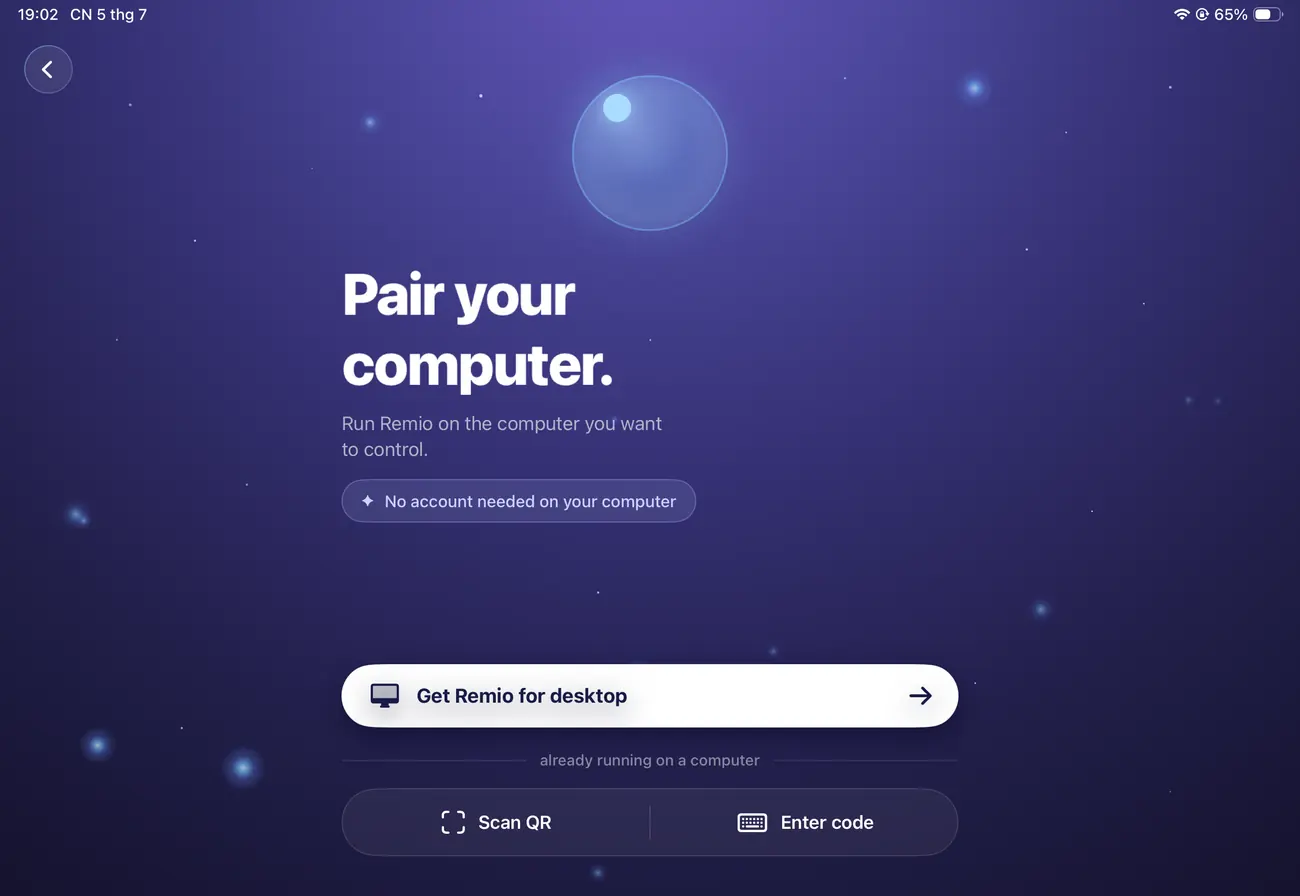
Remio on iPad: the Pair your computer screen with Scan QR and Enter code, no account needed on your computer
✦Set up

How do you set up Remio as a Jump Desktop replacement?

Nothing to migrate. Keep Jump installed while you try Remio.

01

Install the host

Get Remio Host from the download page for macOS 15+, Windows 10 or 11, or Linux. It shows a six-digit pairing code.

02

Install the client

iPhone or iPad (iOS and iPadOS 18+), Mac (macOS 15+), Android 12+ or Windows 10/11. On Apple TV (tvOS 18+), search the App Store.

03

Pair with the code

Type the six-digit code, or scan the QR, on the client; on Apple TV, type the host's Device ID and code with the remote. On a Mac host the code expires after five minutes and rotates itself. See the getting-started guide.

04

Close the lid (optional)

On a MacBook, turn on Keep Awake in Remio Host once, then close the lid and keep streaming. Details: lid-closed streaming guide.

✦Questions

Questions about Jump Desktop alternatives

What are the best alternatives to Jump Desktop?
It depends on what you need. Remio Remote Desktop is free to use with no account and a six-digit pairing code, with apps for iPhone, iPad, Mac, Android, Windows and Apple TV. RustDesk suits self-hosting, Chrome Remote Desktop occasional access, Screens 5 Apple-only users, Microsoft Windows App Windows computers and Splashtop IT teams. Jump Desktop itself remains strong, with RDP, VNC and its own Fluid protocol.
Is there a free alternative to Jump Desktop for iPad?
Yes. Remio is free to use on iPad: no account, no time limit, no commercial-use detection, paired with a six-digit code. Jump Desktop on iPhone and iPad is a one-time $14.99; its Windows and web clients are free. Remio needs iPadOS 18 or later; Jump runs on iPadOS 16 or later.
How much does Jump Desktop cost, and is it a subscription?
For individuals there is no recurring fee: the iPhone and iPad app is a one-time $14.99, the Mac app a one-time $34.99, and each purchase covers only that platform. Windows and web clients are free; Android is a free beta. Subscriptions apply only to Teams. Teams plans are per-user subscriptions (Teams Pro, Teams Enterprise).
Does Jump Desktop work with a MacBook lid closed?
Jump's virtual displays need no monitor or dummy HDMI plug, except at the Mac's login window. Remio also streams a MacBook with its lid shut and no dummy HDMI dongle: turn on Keep Awake once in Remio Host. Jump's Teams Enterprise plan has a Sleep Override setting that keeps Mac hosts awake. See the lid-closed streaming guide.
Is Remio faster than Jump Desktop?
There is no head-to-head test and Jump publishes no latency figures, so Remio does not claim to be faster. Remio's own figure, measured internally: the processing pipeline — capture, hardware encode, the LAN hop, hardware decode — costs about 8 ms on LAN; the rest is your display's own 60 Hz refresh cadence.
Do I need an account to use Jump Desktop?
To reach your own computer with Jump Desktop Connect, you sign in with a Jump Desktop account. Remio needs no account to connect: you pair with a six-digit code or QR, and your screen never touches our servers — even the relay only sees ciphertext.
How much does Remio cost?
Remio is free to use: no time limit, no ads, no card to enter. Remio Pro is optional, $1.99 a month with a 7-day free trial, bought in the app on iPhone, iPad, Mac or Android and usable on any device you sign in to, Windows included. Everything that was free before Remio Pro stays free — forever. See pricing.
Remio app icon

Try Remio free. Keep Jump installed.

Install Remio Host on your computer, Remio on your iPad, and type a six-digit code. Free to use, no account, no card to enter.

Free to useNo accountmacOS · Windows · Linux hosts