Game controller
A DualShock 4 or DualSense touchpad works like a laptop trackpad. On any controller, hold Menu for a moment to turn the sticks into a mouse (A, B and X click, the D-pad scrolls). Otherwise, buttons map to your games.
Yes — Remio Remote Desktop has a native Apple TV app (tvOS 18 or later) that shows your Mac, Windows PC or Linux computer on the TV. Control it with the Siri Remote as a trackpad, or with your iPhone, a game controller or a Bluetooth keyboard. Install the free Remio Host on the computer, open Remio on the Apple TV, and type the Device ID and PIN the host shows — no camera or QR scan needed.
Yes, and more than one. Remio, Remote Buddy Display, Steam Link, Moonlight and AnyDesk each ship an Apple TV app, built for different jobs.
| App | Needs on the computer | Built around | Cost |
|---|---|---|---|
| Remio Remote Desktop | tvOS 18+; Remio Host on Mac, Windows or Linux | General desktop control | Free to use; no account required |
| Remote Buddy Display | tvOS 14.2+; Remote Buddy app on a Mac (macOS 10.13+), Mac only | Mirroring a Mac; remote control of Mac apps | TV app free; Remote Buddy paid after a free trial |
| Steam Link | tvOS 11.0+; Steam on a Windows, Mac or Linux computer, same network | Games from your Steam library | Free |
| Moonlight | tvOS 12.0+; Sunshine or NVIDIA GeForce Experience on a PC, local network | Game streaming; open source | Free |
| AnyDesk | tvOS 15.6+ (App Store); AnyDesk on the computer | Remote access and support | App free; free for personal use |
Facts last reviewed 2026-10-05 from each app’s App Store listing and the vendor’s site. TeamViewer, Parsec, Chrome Remote Desktop, Windows App and RustDesk list no Apple TV app, and Jump Desktop’s listing shows none — see Remio vs Jump Desktop.
How the others differ: Remote Buddy Display is free on the TV and built around Mac media apps; Steam Link and Moonlight are built for games, with 4K at up to 120 FPS and HDR (Remio’s HDR doesn’t reach Apple TV); AnyDesk is a general-purpose remote-support tool. Remio is one Siri Remote–first app for Mac, Windows and Linux, with no Steam or game server in between.
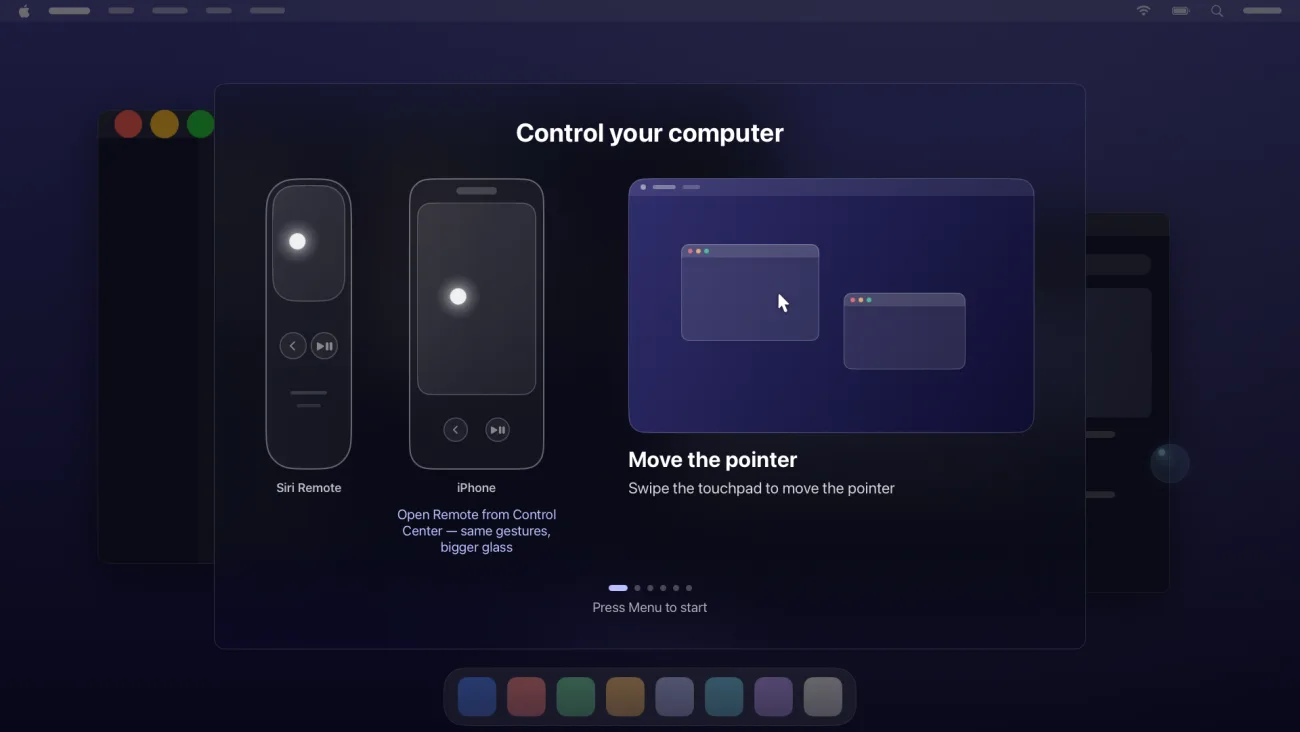
The touchpad works like a laptop trackpad. A short built-in tutorial teaches the gestures the first time you connect.
| Siri Remote | What it does |
|---|---|
| Swipe the touchpad | Moves the pointer |
| Tap | Click |
| Double-tap | Double-click |
| Hold, then slide | Drag |
| Press and hold still, then lift | Right-click |
| Swipe along the right edge | Scrolls up and down (the bottom edge scrolls sideways) |
| Menu button | Opens or closes Remio’s session controls |
| Play/Pause button | Shows the keyboard |
Yes. The Siri Remote is the default, not the only way in.
A DualShock 4 or DualSense touchpad works like a laptop trackpad. On any controller, hold Menu for a moment to turn the sticks into a mouse (A, B and X click, the D-pad scrolls). Otherwise, buttons map to your games.
Type straight into your computer with a Bluetooth keyboard, or press Play/Pause to open the Apple TV text box.
Open Remote from Control Center on your iPhone for a bigger trackpad.
You need an Apple TV on tvOS 18 or later and Remio Host on a Mac, Windows PC or Linux computer.
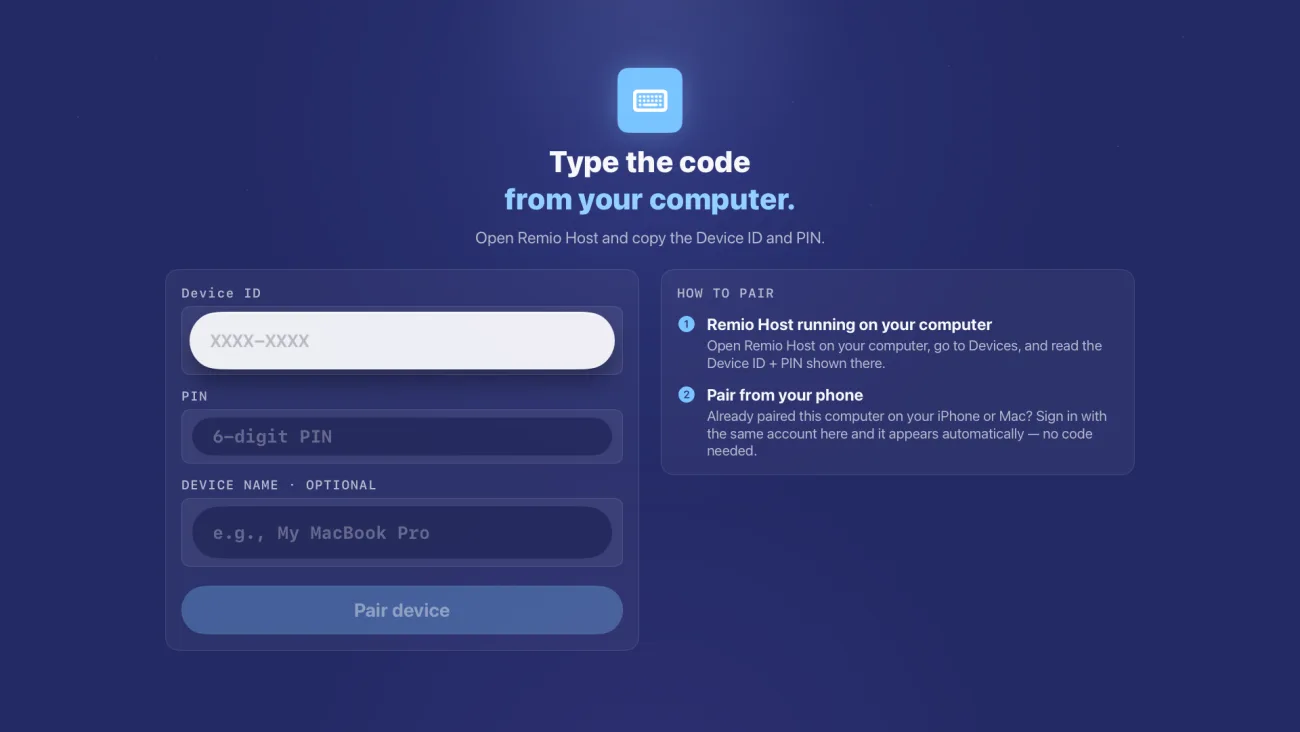
Get it from the download page, then open Connect to see the Device ID and PIN.
Search the App Store for Remio. Choose Continue as guest to skip signing in.
Enter the Device ID (like XXXX-XXXX) and the PIN. Already paired on your iPhone or Mac? Sign in with the same account and the computer appears, no code needed.
Choose your computer. A short tutorial shows the gestures; press Menu any time for the session controls.
On a Mac running Remio Host 3.0.0 or later, the PIN expires after five minutes and replaces itself. The getting-started guide covers every screen.
Yes, on a MacBook with Apple silicon. Turn on “Keep awake with lid closed” once in Remio Host and the MacBook stays reachable with the lid shut — no dummy HDMI plug — until it runs hot or hits your low-battery cutoff. Closing the lid usually locks the Mac; the guide explains what to expect.
What Apple TV can’t do, and what we haven’t measured.
The questions people ask before trying it.

Install the free Remio Host, install Remio on your Apple TV, and type the Device ID and PIN once.
Free to useNo account requiredmacOS · Windows · Linux hosts